
Contents
Introduction
AI has quickly become a big part of the smartphone experience. It’s no longer limited to a few camera tricks or voice commands. Today, it can help improve your photos, translate conversations, filter spam calls, summarize information, and even help you write.
A lot of this activity happens quietly in the background. You don’t necessarily notice AI working; you just notice that your phone is getting better at certain tasks.
Modern phones also have dedicated hardware, often called an NPU (Neural Processing Unit), to handle some AI tasks directly on the device. Other, more demanding features still rely on the cloud.
In this guide, we’ll look at how AI in smartphones is changing modern phones, where it makes a real difference, where it still falls short, and what we can expect next.
What Is AI in Smartphones?
AI in smartphones basically means machine learning and specialized hardware working together so the phone can handle tasks that normally require human decision-making. Instead of running on fixed code, these systems learn from data and improve over time.
Most modern phones now pack a Neural Processing Unit (NPU) alongside the usual CPU and GPU. The CPU handles general computing, the GPU takes care of graphics, and the NPU is built specifically to crunch AI workloads. The NPU does heavy calculations fast while using very little power. That’s a big reason so many AI features now run directly on the phone instead of sending them off to a server somewhere.
Face unlock, predictive text, scene detection in your camera, voice assistants, battery tuning, live translation, spam filtering, and smart search are powered by AI. Older phones just executed commands. These ones actually pick up on your patterns and routines and adjust accordingly.
How On-Device AI Works
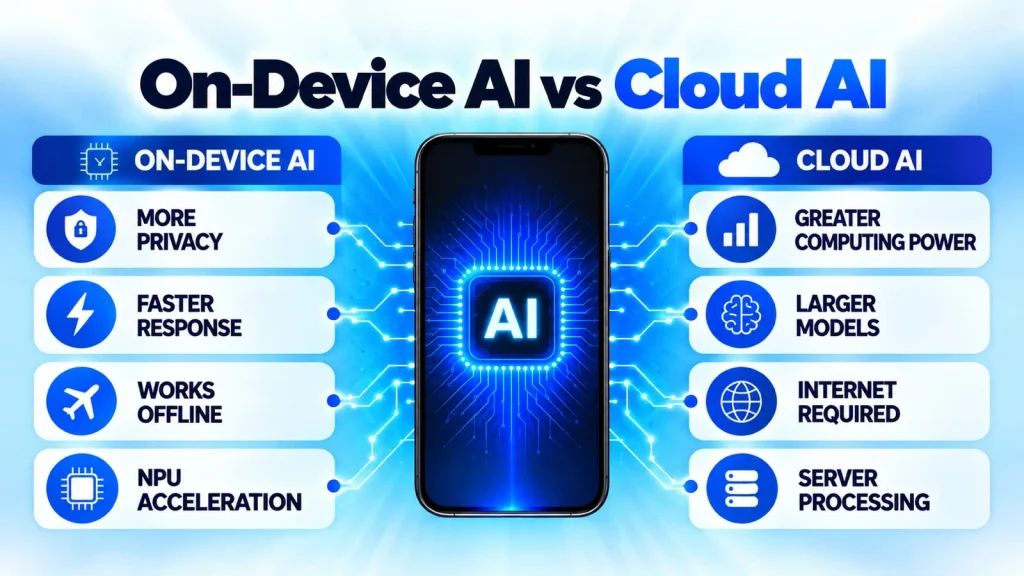
One of the most useful changes in smartphone AI is that your phone doesn’t always need the cloud anymore. A growing number of AI features can run directly on the device, using dedicated hardware such as the NPU.
You can see this in everyday features like voice processing, photo editing, translation, and some writing tools. When the work happens on the phone, there’s usually less waiting around for a server to respond. It can also be better for privacy, since less data needs to leave the device, and some features can keep working when you’re offline.
But phones can’t do everything locally. Bigger AI models can require far more processing power and memory, so some features still depend on cloud servers.
In practice, modern smartphones use a bit of both. The phone handles what it can locally, while it sends heavier jobs to the cloud. As mobile chips get more powerful, we can expect more of those everyday AI features to work directly on the phone.
If you want to understand this topic in more detail, read our complete guide on On-Device AI vs Cloud AI.
How AI Is Improving Smartphones
AI in smartphones now plays a role in almost every part of using a phone, from photography to battery life and security. A lot of these features work behind the scenes, built into the OS and your everyday apps rather than a separate AI app.
Smarter Photography
Photography is one of the easiest places to see AI at work on a smartphone. Camera hardware has improved significantly, but today the software behind the camera is equally important.
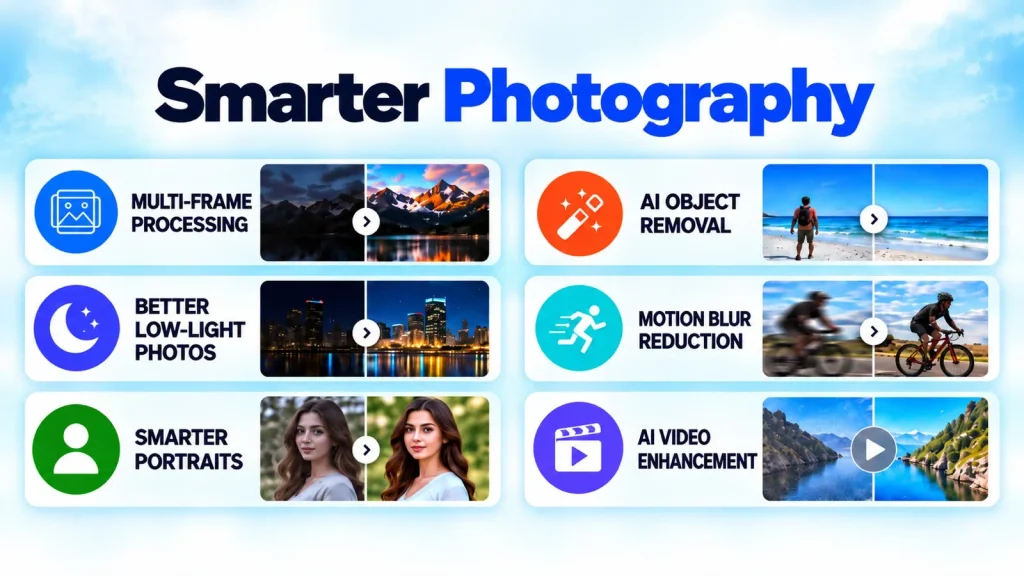
Press the shutter and your phone may capture several frames almost instantly. It can combine information from those frames to control noise, balance bright and dark areas, bring out detail, and produce the final shot you see on screen. This is part of what we call computational photography.
AI can also help the camera figure out what you’re pointing at, whether it’s a person, food, a document, or a sunset, and adjust the image accordingly. Portrait mode is a prime example. Phones have become much better at separating a person from the background and creating the blurred-background look you’d normally associate with a larger camera.
AI also plays a part in night photography, video stabilization, motion processing, and newer editing tools that can remove or reposition objects after you’ve taken the shot.
Smarter Video Recording
AI is improving video as well. Phones use AI to stabilize shaky footage, adjust exposure mid-recording, cut background noise, and keep moving subjects in focus. Some can boost HDR in real time or adapt settings as lighting changes.
AI editing tools are showing up more often as well, removing objects, cleaning up audio, generating highlight clips, and applying automatic edits without editing skill required.
More Natural Conversations
Voice assistants used to be pretty rigid. Say something the wrong way, and they often had no idea what you meant. That’s changing as AI gets better at understanding everyday language and following the context of a conversation.
Today’s assistants can do much more than set an alarm or check the weather. Depending on the phone and service, they can summarize information, translate conversations, help write messages and emails, and handle requests that would have confused older assistants.
Apple’s Siri is one example of this shift, with Apple Intelligence designed to make interactions more natural and context-aware. Other AI assistants can also keep track of earlier parts of a conversation, so you don’t always have to start from scratch with every question.
Some of this processing can happen directly on the phone, while more demanding requests still rely on the cloud. The result is an assistant that feels less like a voice-controlled menu and more like something you can actually talk to.
AI Agents
The next step could be AI agents. Instead of handling one command at a time, the idea is to let an assistant work through several related tasks for you.
Imagine asking your phone to summarize a meeting, turn the important points into a to-do list, set a few reminders, and draft a follow-up email. Rather than jumping between four different apps yourself, an AI agent could eventually handle much of that process with a single request.
We’re not fully there yet. AI agents are still developing, and what they can actually do varies widely between platforms. But the direction is clear: smartphone assistants are starting to move beyond simply answering questions toward taking actions on your behalf.
If you want a closer look at what today’s phone AI can already do, we’ve covered it in our Galaxy AI Explained and Apple Intelligence Explained guides.
Battery Life and Performance
AI in smartphones isn’t always something you can see. Some of its most useful work happens in the background, where your phone learns from the way you use it and tries to manage power more efficiently.
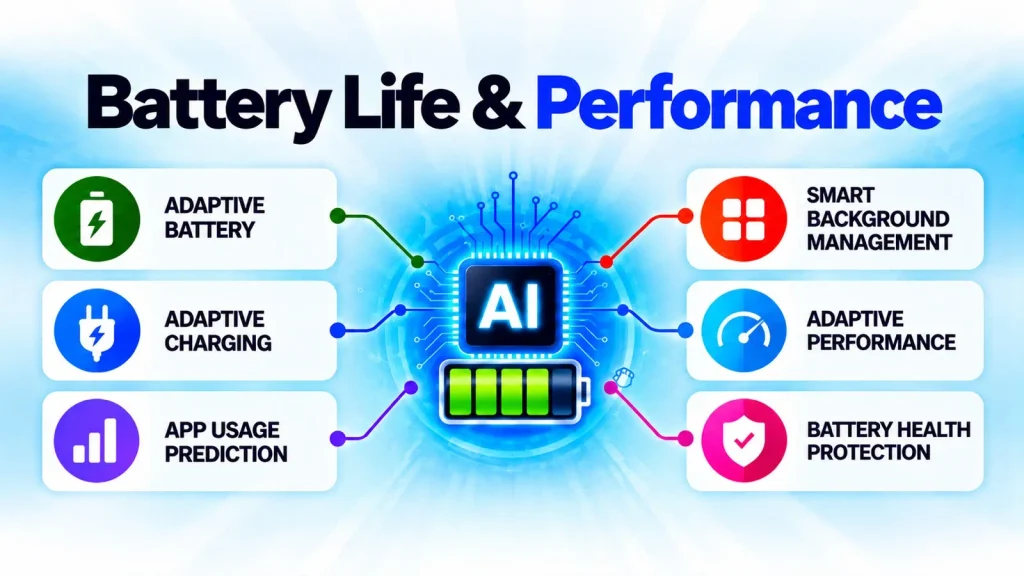
Android’s Adaptive Battery is a good example. It learns which apps you use regularly and can limit background activity for apps you don’t use as often, helping reduce unnecessary battery drain.
Charging has become smarter too. On supported phones, adaptive charging can learn from your routine and delay part of the charging process when your phone is plugged in for a long time. If you usually unplug it around 7 a.m., for example, the phone can time the final part of the charge closer to when you’ll need it.
Your phone also adjusts performance throughout the day. A demanding game or video-editing app needs far more processing power than checking a message. Modern phones constantly balance performance, temperature, and battery use to avoid wasting power when they don’t need it.
You may never notice most of this happening, and that’s really the point. The phone is doing more of the work in the background so you don’t have to think about it.
Privacy and Security
Security has also improved. Facial recognition and fingerprint scanning now use AI to verify it’s really you, and they’re smart about it, analyzing depth and facial structure so you’re still recognized even if your look changes a little, like a new haircut or a pair of glasses.
AI also flags suspicious apps, filters spam calls and texts, and warns you before you land on a suspicious website, mostly running quietly in the background without slowing the phone down. And since more of this processing happens on-device, your sensitive data stays more private. This is one of the biggest advantages of modern AI in smartphones.
Android devices use technologies such as Google Play Protect to scan apps for potentially harmful behavior, while Apple combines on-device processing with privacy-focused security features for supported AI experiences.
Everyday AI Features
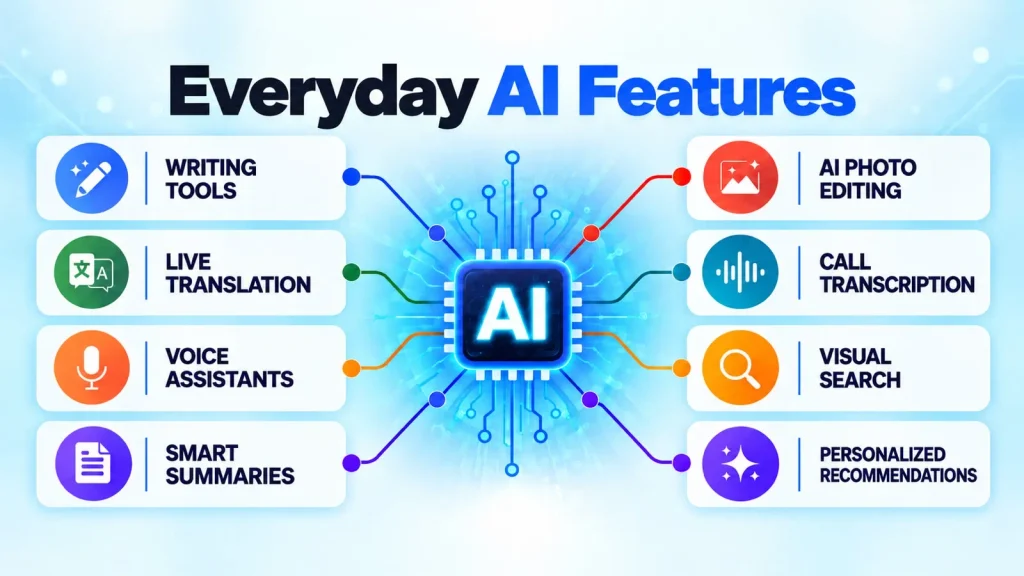
The benefits of AI in smartphones go beyond photography and include battery optimization, security, and accessibility. It’s found across everything from messaging to accessibility to search to content creation. It’s not an extra app; it’s built into the OS, so it feels like part of the phone.
Language Translation
Phones can now translate conversations, messages, and live speech in real time. That’s a big advantage for travelers, students, and anyone working across languages: no need for a separate translation device, just speak into the phone. A lot of this works offline too, which matters when you’re traveling or stuck with a weak signal.
Typing has gotten smarter as well. Keyboards predict words, fix grammar, suggest better phrasing, and generate replies based on context, helping you type faster with fewer mistakes.
Generative AI
Generative AI is one of the most significant changes we’ve seen on smartphones recently. Instead of simply recognizing what’s in a photo or understanding a voice command, it can create something new.
That could mean summarizing a long article, rewriting an email, brainstorming ideas, generating an image, or cleaning up a photo you’ve just taken. Apple’s Writing Tools, Google’s Gemini, and Samsung’s Galaxy AI are already bringing many of these tools to supported phones.
What makes this interesting is how quickly these features are becoming part of everyday phone use. Something that might have required a separate app or several steps can sometimes be done with a single request.
Some of this work can now happen directly on the phone, while more demanding tasks still need the cloud. As mobile chips become more capable, we can expect more generative AI features to work locally as well.
Visual Search
Searching on a phone is becoming much more visual. Instead of describing something in words, you can use an image or what’s on your screen to learn more about it.
Tools like Circle to Search let you circle, highlight, or tap something on the screen and search for it without leaving the app you’re using. It can help identify objects, translate text, look up products, and even work through certain math problems.
It’s a simple change, but a useful one. You’re showing the phone what you mean instead of describing it.
Accessibility
AI is also making smartphones easier to use for people with different needs. Live captions can turn speech from videos and calls into text, while screen readers can read text aloud and help describe what’s on the screen. Voice controls can also handle many phone functions without you having to touch the display.
What’s interesting is that some of these tools have become useful far beyond accessibility. Features like captions, voice typing, and text recognition are now things almost anyone might use, whether you’re watching a video without sound, typing while your hands are busy, or copying text from a photo.
Phone Calls
Phone calls are getting smarter too. AI can help cut down background noise when you’re somewhere busy, making the person on the other end easier to hear. It can also help identify suspected spam calls before you answer.
Some phones now offer live call translation, letting two people speak in different languages and hear or read a translated version of the conversation. Depending on the phone and service, AI can also create a transcript or summary after the call, which can be handy when you need to remember an address, appointment, or other detail later.
Challenges of AI in Smartphones
While AI in smartphones brings many benefits, it still comes with several challenges. Manufacturers keep working on these, but there are real limitations worth knowing about.
Privacy Concerns
Privacy is still one of the bigger questions around AI in smartphones. More processing can happen directly on the device now, but plenty of AI features still rely on the cloud. That means users need to know what data leaves their phone, how it’s processed, and whether any of it is stored.
Apple, Google, and Samsung are all pushing more AI processing onto their devices, which can reduce the amount of data that needs to be sent to a remote server. But that doesn’t mean everything stays on your phone. More demanding AI features may still need cloud processing.
So while on-device AI is a step in the right direction for privacy, it doesn’t make the issue disappear. There’s still a lot that depends on the feature you’re using and how the company behind it handles your data.
Battery Consumption
AI features aren’t free when it comes to power. More demanding tasks, such as generating images or processing video in real time, can put extra load on the processor and use more battery, especially if you keep them running for a while.
Chipmakers are trying to make that work more efficient with faster, more capable NPUs. Qualcomm, MediaTek, and Apple continue to improve the AI hardware inside their chips, but there’s still a trade-off. The more AI work your phone does locally, the more carefully it has to balance performance, heat, and battery life.
Hardware Limitations
Not every phone can run the latest AI features. Some of them need a powerful processor, capable AI hardware, and enough memory to work properly, which is one reason new features often appear on flagship phones first.
They may eventually make their way to cheaper models, but older phones can still miss out even when they’re running the latest software. Occasionally the hardware simply isn’t powerful enough, while in other cases the manufacturer limits a feature to certain models.
That’s why two phones running the same version of Android or iOS won’t necessarily get the same AI experience.
AI Isn’t Always Accurate
AI still gets things wrong. It can misunderstand a question, give you an incorrect answer, or produce a summary that misses an important detail. AI-generated images can be misleading too. Even OpenAI acknowledges that generative AI can produce incorrect or misleading results.
That’s why it’s better to think of AI as an assistant, not a replacement for your judgment. For everyday tasks, an occasional mistake might not matter much. But if you’re using it for something important, it’s always worth checking the answer before you rely on it.
The Future of AI Smartphones
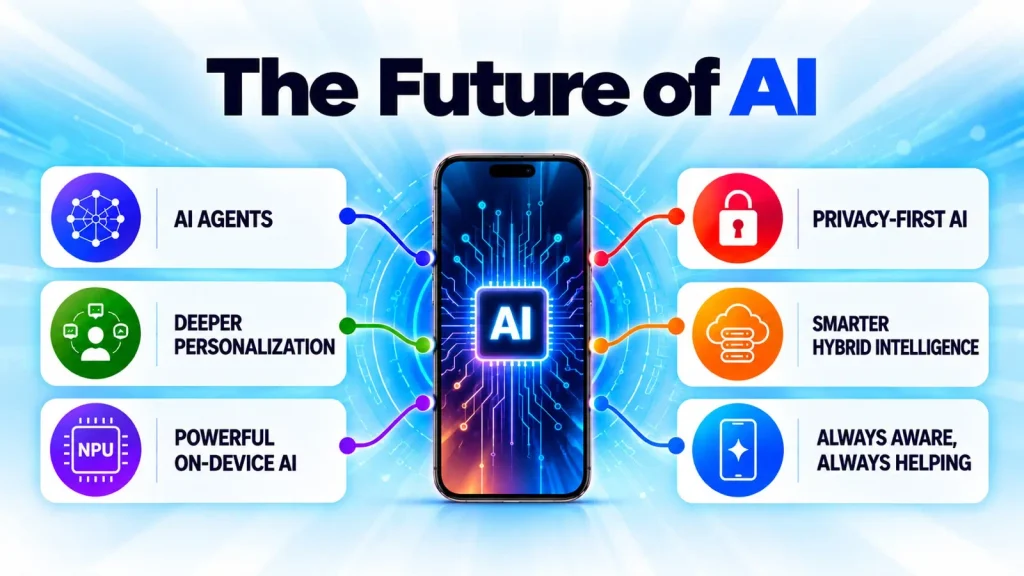
The future of AI smartphones is evolving quickly as mobile processors become more capable. Future phones won’t just wait for instructions. They’ll better understand what you’re trying to do, anticipate your needs, and handle more tasks with minimal input.
More Personal AI
Phones already learn from some of our habits, but AI could make that experience much more personal. Instead of waiting for you to ask for something, your phone could increasingly figure out what might be useful and surface it at the right time.
Some of this already exists. Phones can remind you when it’s time to leave for an appointment or pull travel details from an email. The next step is connecting more of that information together, perhaps preparing notes before a meeting or suggesting what you need before you think to ask.
If that works well, your phone could start to feel less like something you constantly operate and more like an assistant that quietly helps you through the day.
Faster On-Device AI
Another shift we’re likely to see is more AI moving onto the phone itself. As NPUs become more capable, they should be able to handle tasks that currently need help from the cloud.
That doesn’t mean cloud AI is going away. Bigger models will still need more computing power than a phone can realistically provide. But for everyday features, doing more of the work locally could make AI faster, more private, and useful even when you don’t have a connection.
Final Thoughts
AI has already changed the way we use smartphones, even if we don’t always notice it. Some of the most useful examples aren’t the flashy features but the small things that make a phone easier to use, whether that’s getting a better photo, filtering an unwanted call, translating a conversation, or saving a few steps in an everyday task.
And we’re still fairly early in this shift. As mobile chips become more capable, more AI features should be able to run directly on the phone, while cloud processing will continue to handle the heavier work.
There are still real questions around privacy, accuracy, battery use, and which devices get access to the latest features. But ultimately, the most useful smartphone AI won’t be the one with the longest feature list. It’ll be the AI that saves you time and works so well you barely have to think about it.
FAQs
What is AI in smartphones?
AI in smartphones uses machine-learning models and dedicated hardware, such as an NPU, to handle tasks like photo processing, translation, speech recognition, and battery management. Some of this processing happens directly on the phone, which can make features faster, more private, and available offline.
How does AI improve smartphone performance?
AI improves smartphone performance by learning how you use your device. It can prioritize frequently used apps, reduce background activity, optimize processor performance, and manage power consumption to make the phone faster and extend battery life.
What is on-device AI in smartphones?
On-device AI means certain AI tasks run directly on your phone instead of relying on cloud servers. This can speed up features, allow some to work offline, and help keep more of your data on the device.
What are the most useful AI smartphone features?
Some of the most useful AI smartphone features include computational photography, live language translation, spam call detection, adaptive battery charging, AI writing tools, voice assistants, visual search, photo editing, and real-time transcription.
Do AI features drain smartphone battery life?
Some demanding AI features, such as image generation, live translation, and video enhancement, can use more battery. However, AI also helps optimize overall power consumption through adaptive charging, app management, and intelligent performance adjustments.
Is AI in smartphones safe for privacy?
Modern smartphones increasingly process AI tasks on the device, which helps protect user privacy. However, some advanced features still rely on cloud processing, so it’s important to review your device’s privacy settings and understand how your data is handled.
Do all smartphones support AI features?
No. Most smartphones offer some AI capabilities, but advanced features often require newer processors with dedicated NPUs and sufficient memory. As a result, flagship devices typically receive the latest AI features before mid-range and budget models.
What is the future of AI in smartphones?
The future of AI in smartphones is expected to focus on more powerful on-device processing, smarter AI assistants, improved personalization, better privacy, and AI agents capable of handling multiple tasks automatically with minimal user input.