
Contents
Introduction
Choosing between Apple and Samsung goes beyond picking a phone. It can influence the laptop you buy, the watch you wear, how you share files, and how you control devices around your home.
Both companies have built extensive ecosystems, but their approaches differ. Apple designs its hardware, operating systems, and core services to work closely together. Samsung connects its Galaxy products through its own software alongside Android, Windows, Google services, and Microsoft tools. SmartThings extends those connections to compatible home devices from Samsung and other brands.
So, which ecosystem is better, Apple or Samsung?
Apple is usually a better fit if you want closely connected features across an iPhone, Mac, iPad, and Apple Watch. Samsung is often the more practical choice if you use a Windows PC and want more flexibility to combine compatible devices from different brands.
That flexibility has limits, and the available features depend on the products you choose. Neither ecosystem wins every category. The better choice comes down to what you already own, which connections you would actually use, and how much freedom you want when buying your next device.
In this Apple ecosystem vs Samsung ecosystem comparison, we’ll look at how both platforms handle devices, cross-device features, AI, smart homes, productivity, privacy, gaming, and overall value.
Apple Ecosystem vs Samsung Ecosystem at a Glance
Here is how the two ecosystems compare across everyday tasks, device choice, and cost.
| Category | Apple Ecosystem | Samsung Ecosystem | Best Fit |
|---|---|---|---|
| Cross-device integration | Closely connected features across compatible iPhones, Macs, iPads, and Apple Watches | Connected features across compatible Galaxy devices, alongside Windows integration | Apple for a setup built mainly around Apple devices |
| Device variety | Phones, tablets, computers, wearables, and home entertainment products | A broader product range that also includes TVs and household appliances | Samsung for device variety |
| Computer integration | Extensive iPhone and iPad integration with Mac | Galaxy integration with compatible Windows PCs, including Galaxy Books | Apple for Mac users; Samsung for Windows users |
| File sharing | AirDrop for direct transfers and iCloud Drive for cloud syncing | Quick Share across compatible Android devices and Windows PCs, plus Apple sharing on supported models | Depends on the devices you share with |
| Smart home | Apple Home connects compatible HomeKit and Matter accessories | SmartThings connects compatible Samsung appliances and products from partner brands | Samsung for appliance integration; check your existing accessories |
| AI features | Apple Intelligence tools built into supported devices and apps | Galaxy AI tools on supported devices, alongside Google AI services | Depends on the features and devices you need |
| Privacy and security | Privacy controls, tracking protections, and hardware-backed security | Samsung Knox protections and Android privacy controls | Compare specific protections, settings, and services |
| Productivity | Mac and iPad workflows with features such as Sidecar and Universal Control | Windows connectivity, plus DeX and S Pen features on supported devices | Depends on your apps and workflow |
| Price | Entry-level options exist, but budget phone choices are limited | Phones and tablets across budget, midrange, and premium categories | Samsung for a wider range of starting prices |
Feature availability varies by device, software version, region, language, account, and connected hardware. Check the requirements for any feature you expect to use before buying.
How Apple and Samsung Ecosystems Differ
A technology ecosystem is a group of devices, apps, services, and accessories that work together. Its value comes from what those connections let you do, such as sharing files, keeping information in sync, or continuing a task on another device.
With compatible devices and the right settings, you might start an email on your phone and finish it on your laptop. You can copy a link on one device and paste it on another, or have your earbuds switch from music on your tablet to a call on your phone. These small conveniences can save you from repeating the same steps throughout the day.
Apple connects its products through the Apple Account, iCloud, and Continuity features. Your account gives you access to shared services, iCloud keeps supported information in sync, and Continuity helps you move between devices. Because Apple develops both its hardware and operating systems, it can build these connections directly into its products.
Samsung combines connections between Galaxy devices with access to the wider Android and Windows platforms. A Samsung account supports many shared features, while services such as Samsung Notes, Quick Share, and SmartThings handle different tasks. Google services and Microsoft’s Phone Link add further ways to connect with devices outside Samsung’s own range.
The main difference in the Samsung ecosystem vs Apple ecosystem comparison is where each platform’s closest connections sit. Apple concentrates many of its integrated features within its hardware. Samsung combines Galaxy-specific benefits with broader compatibility, although some features still require particular Samsung products. The better fit depends on which devices and services you want to use together.
For a closer look at each platform, read our guides to the Apple ecosystem and the Samsung ecosystem.
Apple vs Samsung Device Lineup
Apple Ecosystem Devices
Apple’s main devices include the iPhone, iPad, Mac, Apple Watch, AirPods, Apple TV 4K, HomePod, AirTag, and Apple Vision Pro. Its apps and services include iCloud, Find My, Apple Music, Photos, Messages, FaceTime, and the App Store. An Apple Account connects many of these experiences, although the available features differ by product.
The appeal lies in how closely these devices work together. Apple develops both the hardware and operating systems, allowing it to build shared features directly into its products. Familiar apps, account settings, and syncing options can make moving between compatible devices feel straightforward.
The trade-off is that many of the closest connections depend on owning more Apple hardware. You can access iCloud photos and files on Windows or listen to Apple Music on Android, but features such as Handoff and Universal Control require compatible Apple devices. A mixed-brand setup can still be useful, though it will not offer all the same connections.
Samsung Ecosystem Devices
Samsung covers a broader range of product categories. Its ecosystem includes Galaxy smartphones, including the S, Z, and A series, alongside Galaxy Tab tablets, Galaxy Book laptops, Galaxy Watch, Galaxy Buds, Galaxy Ring, and Galaxy SmartTag trackers. Compatible televisions, smart monitors, and connected appliances extend that range into the home.
SmartThings brings supported Samsung products and devices from other brands into one app. These can include refrigerators, washing machines, air conditioners, cameras, locks, lights, and robot vacuums. The available controls and automations depend on the products you connect to SmartThings.
Samsung also offers more starting points across different budgets, particularly with phones and tablets. You can begin with an affordable Galaxy phone and add other devices over time, without choosing a flagship model for every purchase.
The limitation is that features vary across the range. A budget Galaxy phone does not necessarily offer the same connections as a flagship. Some functions require specific hardware, a supported One UI version, particular apps, or linked Samsung, Google, or Microsoft accounts. Choosing products that support the features you need matters more than simply choosing the same brand.
Verdict
Apple offers a focused lineup with closely integrated features. Samsung offers more product categories and price options, giving you greater flexibility when choosing devices to add to your setup.
Which Ecosystem Has Better Cross-Device Features?
Cross-device continuity is the clearest difference between Apple and Samsung.
Apple Cross-Device Features
Apple’s Continuity features include Handoff, Universal Clipboard, Continuity Camera, Instant Hotspot, Sidecar, Universal Control, and tools for handling iPhone calls and messages on other devices.
With Handoff, you can start a task in a supported app and continue it on another compatible device nearby. For example, you can begin an email on your iPhone, then select the Handoff icon on your Mac to finish it with a full keyboard.
Universal Clipboard lets you copy text, images, or videos on one supported Apple device and paste them on another nearby device. It removes the extra step of sending something to yourself before using it elsewhere.
Sidecar lets an iPad extend or mirror your Mac’s display. Universal Control serves a different purpose: you use one keyboard and mouse or trackpad across compatible Macs and iPads, while each device runs its own apps.
Continuity Camera lets a compatible iPhone work as a Mac webcam. Its photo and scanning functions can also insert a new picture or scanned document from an iPhone or iPad directly into a supported Mac app.
Supported AirPods can switch audio automatically between compatible Apple devices. This requires the same Apple Account with two-factor authentication, along with the appropriate hardware and software.
The appeal is having these everyday connections built into the devices. Once you configure the required accounts, connections, and settings, they reduce repeated steps when moving between tasks. Each feature still has its own compatibility requirements.
Samsung Cross-Device Features
Samsung’s cross-device tools connect compatible Galaxy phones, tablets, Galaxy Books, smart monitors, and televisions.
Multi Control lets you use one keyboard and mouse or trackpad across supported devices while each runs its own apps. Second Screen lets a compatible Galaxy Tab extend or mirror the display of a supported Windows PC.
Samsung also offers tools for sharing cameras and accessing files. Camera Continuity can insert a photo taken on your phone into a supported document on your Galaxy Book. Camera Share lets a compatible phone work as a PC webcam, while Storage Share provides access to files across supported devices.
Quick Share transfers files between compatible Android devices and Windows PCs, with Apple-device sharing available on supported Galaxy models. Samsung Notes keeps notes in sync across supported Galaxy devices, and compatible Galaxy Buds can switch audio between supported Samsung products.
Windows connectivity adds another useful layer. Microsoft Phone Link lets you handle notifications, messages, calls, and recent photos from your PC. Supported phones also offer functions such as mobile app access and cross-device copy and paste. These capabilities are not exclusive to Samsung, and availability varies by model.
The range is useful, but each tool has its requirements. Some connections depend on particular Galaxy products, software versions, accounts, or network settings. Check the specific feature you want to use rather than assuming that any two Samsung devices will support it.
Verdict
Apple is usually the better fit when most of your devices come from Apple. Samsung offers more flexibility if you use a Windows PC or want to combine Galaxy devices with compatible products from other brands.
Apple Intelligence vs Galaxy AI
AI has become another major part of the Apple ecosystem vs Samsung ecosystem debate. Both companies use a mixture of on-device and cloud processing, but their tools and availability differ.
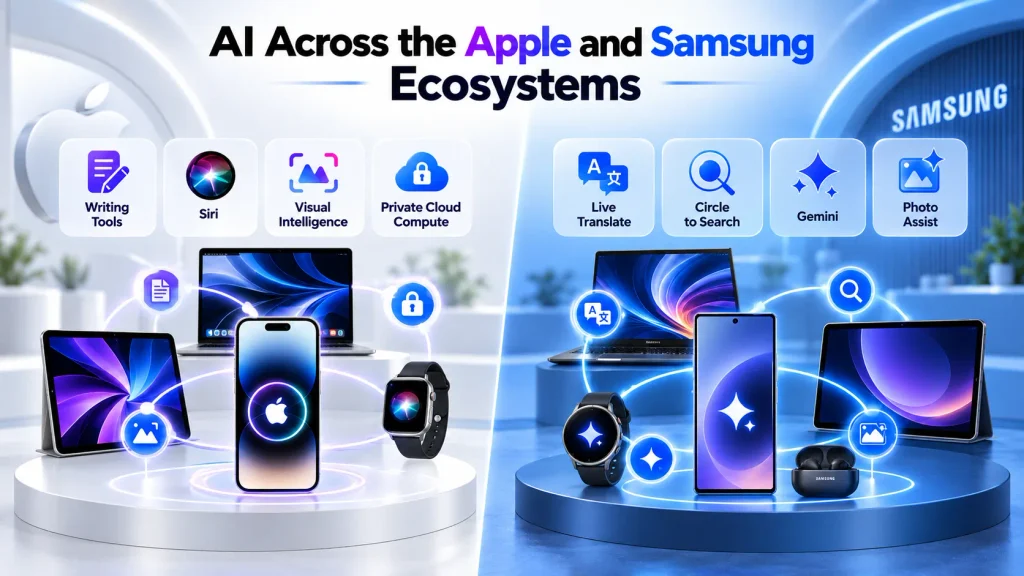
Apple Intelligence Across Apple Devices
Apple Intelligence adds AI features to supported iPhones, iPads, Macs, and Apple Vision Pro. Selected features also extend to compatible Apple Watches paired with an Apple Intelligence-enabled iPhone.
Its tools appear across apps and system features. Depending on the device and software, they can help rewrite or summarize text, summarize notifications, find and edit photos, and translate conversations. Visual Intelligence helps users explore onscreen content on supported devices. Siri AI adds conversational assistance and a dedicated app, with its current rollout available in English beta.
Privacy is a central part of the design. Many tasks run directly on the device, while more demanding requests can use Private Cloud Compute. This processes relevant information on Apple silicon servers. Apple says the data is used only to fulfill the request and is not retained by Private Cloud Compute.
The main limitation is availability. Installing the latest operating system does not give every device access to Apple Intelligence. Features vary by hardware, language, region, and software version. Some require an internet connection, and certain server-based tools have daily usage limits.
Our Apple Intelligence guide covers the individual features, supported devices, privacy model, and limitations in more detail.
Galaxy AI Across Samsung Devices
Galaxy AI brings communication, editing, and productivity tools to supported Galaxy phones and tablets. Features can include Live Translate, Interpreter, Writing Assist, Note Assist, Transcript Assist, Browsing Assist, Photo Assist, and Audio Eraser.
Selected experiences also extend to Galaxy watches and earbuds. For example, compatible Galaxy Buds can play translations generated by a paired Galaxy phone, while supported watches contribute activity and sleep data to AI-powered insights in Samsung Health.
Samsung combines its own features with Google-powered tools such as Gemini and Circle to Search. Together, these provide different ways to translate conversations, find information, organize notes, transcribe recordings, and edit images.
Samsung’s Galaxy AI privacy controls include an option to process data only on the device. Enabling it can limit or disable features that need cloud processing. Some tools also require an internet connection, account sign-in, or downloaded language packs. Knox Vault helps protect sensitive information and encryption keys on supported devices.
Availability remains the main limitation. A newer flagship may offer features that are missing or more limited on an older or cheaper Galaxy device. The exact selection also depends on the One UI version, language, and region.
Verdict
Samsung is appealing if you want Galaxy AI features and Google-powered tools like Gemini and Circle to Search. Apple Intelligence is best for users who value integration with Apple’s apps and privacy protections like Private Cloud Compute. The better choice depends on which features your devices support, how those features handle your data, and which tools you actually use.
Apple Home vs SmartThings
The smart home comparison shows how different the two ecosystems have become.
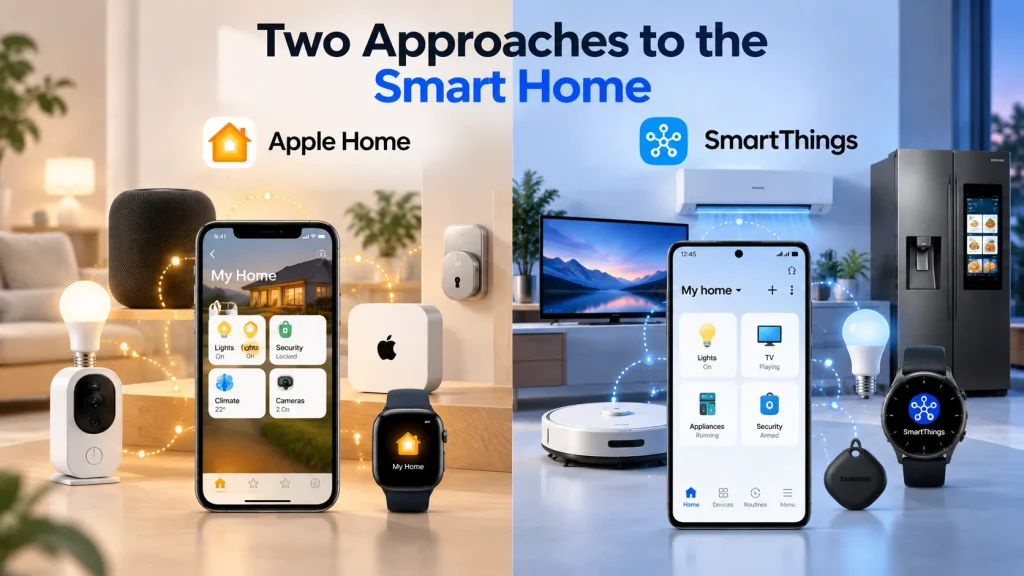
Apple Home
Apple Home lets you manage compatible lights, locks, cameras, thermostats, sensors, plugs, and other accessories through the Home app on iPhone, iPad, Mac, and Apple Watch. HomePod adds Siri voice control, while Apple TV 4K can display supported cameras and run scenes.
A supported HomePod or Apple TV configured as a home hub enables control away from home and automations based on time, location, sensor readings, or accessory activity. Apple uses encryption to help protect Home app data and communication with accessories.
Matter helps compatible products work across different smart-home platforms. Some local Matter controls are available on supported iPhones without a home hub, but automations and remote access still require one. Thread-based accessories may also require a compatible Thread border router, which is built into certain HomePod and Apple TV models.
Apple Home is a good fit for people who already use Apple devices and want to manage their accessories through a familiar app. Before choosing it, check whether the specific products and functions you need are supported, particularly if you already own smart-home equipment from several brands.
Samsung SmartThings
SmartThings connects a wide range of Samsung and third-party products. These include compatible televisions, appliances, lights, locks, cameras, sensors, thermostats, and plugs.
The SmartThings app is available on Android and iOS, so you do not need a Galaxy phone for basic smart-home control. It supports compatible Matter devices and lets you create routines triggered by time, location, sensor readings, or device status.
Selected Samsung televisions, smart monitors, Family Hub refrigerators, and soundbars can provide built-in SmartThings hub functions. Dedicated hubs are also available. However, supported accessories and connection types vary by hub model, and some setups require additional hardware.
A particular strength is its integration with large home appliances. Compatible washing machines, refrigerators, air conditioners, and robot vacuums can join the same system as your television, lighting, and other accessories.
Setup and available controls depend on the products you connect. Two devices that work with SmartThings may support different functions, so check the specific controls and routines you need before buying.
Verdict
Apple Home is a strong choice if you already use Apple devices and value its privacy features and familiar controls. SmartThings is a better fit if you want compatible televisions and large home appliances to work alongside accessories from several brands.
AirDrop vs Quick Share
File sharing sounds like a small feature until it becomes part of everyday work.
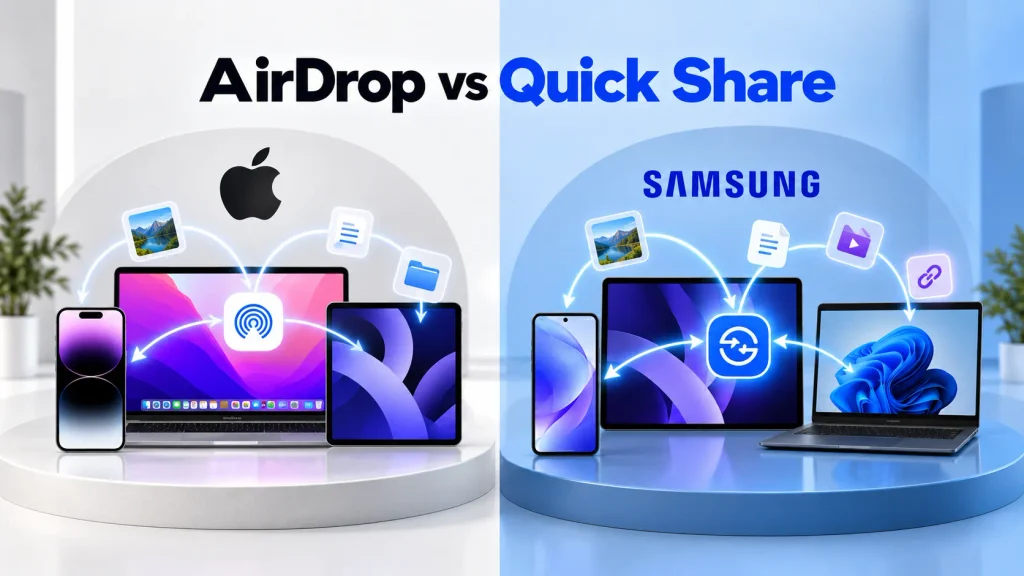
AirDrop and iCloud
AirDrop lets you send photos, videos, documents, links, and other supported content between nearby iPhones, iPads, and Macs. Transfers are encrypted and use Wi-Fi and Bluetooth, with receiving settings determining who can share with you. Saved passwords can also be shared securely between supported Apple devices.
iCloud Drive keeps files available across iPhone, iPad, Mac, and the web. Other iCloud features keep photos, notes, passwords, and reminders up to date across supported devices. Windows users can access files, photos, passwords, and more through iCloud for Windows.
Sharing outside Apple’s ecosystem depends on the devices involved. Selected Android phones, including supported Galaxy models, can exchange files with Apple devices through Quick Share’s AirDrop compatibility. Where direct sharing is unavailable, a shared cloud service, browser, cable, or messaging app can provide another route.
Quick Share and cloud services
Quick Share transfers files between compatible Android devices, including Galaxy phones and tablets, and supported Windows PCs. Selected Galaxy models can also exchange files directly with Apple devices through AirDrop compatibility.
On supported Galaxy devices, Quick Share can create a download link that you send through email or a messaging app. This gives recipients another way to receive files without being nearby, although link sharing requires an internet connection.
For ongoing file storage and access, Samsung users can use Microsoft OneDrive, Google Drive, or another cloud service. These help keep documents available across a Galaxy phone, Windows laptop, and other devices, including Apple products.
This combination is useful when your devices come from different brands. The setup depends on the devices, accounts, and sharing method you choose.
Verdict
AirDrop is a convenient choice for sharing files between an iPhone, iPad, and Mac. Quick Share is a practical fit if you regularly transfer files between Galaxy phones or tablets and supported Windows PCs.
Apple vs Samsung for Productivity
In the Apple vs Samsung ecosystem comparison, productivity depends heavily on the computer at the center of your work.
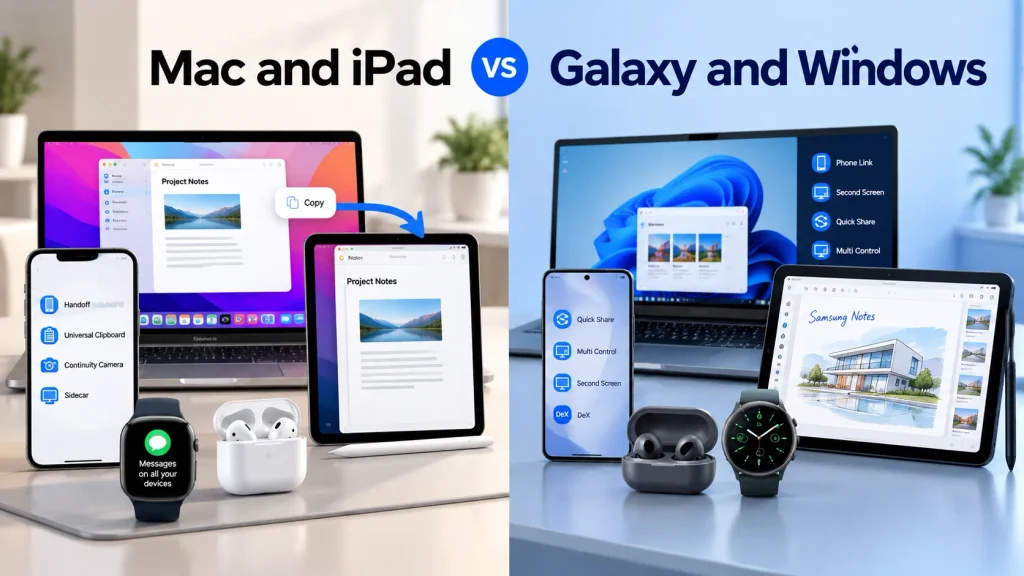
Apple Productivity
Apple’s productivity benefits become useful when you regularly work across a Mac and a compatible iPhone or iPad. With Handoff, you can start an email on your iPhone and finish it on your Mac. Universal Clipboard lets you copy text or an image on one device and paste it on another.
An iPad can add more workspace through Sidecar, which extends or mirrors your Mac display. Universal Control serves a different purpose: one keyboard and mouse or trackpad can control both devices while each runs its apps.
For video calls, Continuity Camera can turn your iPhone into a Mac webcam. Calls and messages can also be handled on your Mac or iPad once configured, while iCloud keeps supported files and information synchronized.
This setup suits people whose daily work already happens in macOS. A Windows PC can still access supported iCloud content, but features such as Sidecar and Universal Control require a Mac.
Samsung Productivity
Windows connectivity is one of Samsung’s main productivity strengths. Quick Share moves files between compatible Galaxy devices and Windows PCs, while Phone Link brings supported phone functions to your computer. Second Screen can turn a compatible Galaxy Tab into an extra Windows display. Other tools, including Multi Control and selected camera features, require particular Galaxy hardware.
Samsung DeX provides a desktop-style interface with resizable windows, keyboard and mouse support, and multitasking. Depending on the model, you can use it on an external display through a wired or wireless connection. Supported tablets can also run DeX on their screens.
DeX can be useful for writing, browsing, presentations, and other work supported by its mobile apps. Check whether those apps provide the functions you need before treating it as a laptop replacement.
The S Pen adds practical tools for handwritten notes, document annotation, and drawing on compatible Galaxy phones and tablets. Samsung Notes can keep that work synchronized across supported Galaxy devices, including compatible Galaxy Books.
Verdict
Apple is a strong fit if your daily work centers on a Mac and iPad. Samsung suits people who rely on Windows, prefer the S Pen for handwritten notes, or want a desktop-style experience through DeX on a compatible Galaxy phone or tablet.
Which Ecosystem Provides Better Privacy and Security?
Both companies provide serious security systems, but they approach privacy and platform control differently.
Apple Privacy and Security
Apple designs its core hardware and operating systems, allowing it to build security protections into both. Depending on the device, these include Face ID or Touch ID, app permissions, encrypted password storage, Find My, and Activation Lock.
Apple’s privacy controls also give users choices about how apps access their information. App Tracking Transparency requires permission for tracking across other companies’ apps and websites, while App Store privacy labels summarize developers’ reported data practices.
Apple Intelligence processes many supported requests on the device. More demanding requests can use Private Cloud Compute, which Apple says processes the necessary data without retaining it after the request is completed.
The trade-off is tighter control over software installation, particularly on iPhone and iPad. Macs support apps downloaded outside the App Store, while alternative installation options on iPhone and iPad depend on the device, software version, and region.
Samsung Privacy and Security
Samsung Knox combines hardware and software protections on supported Galaxy devices. Secure Folder creates a separate, encrypted space for private apps and files, protected by its lock.
Biometric authentication helps control access to the device, while Android permissions let you manage which apps can use your camera, microphone, location, and other information.
On supported models, Knox Vault adds isolated hardware protection for sensitive data. Knox Matrix extends security checks across compatible connected Samsung devices. These protections vary by product, so the Knox name does not mean every device has identical security features.
Galaxy phones also offer flexible app installation, file management, and customization options. Features such as Auto Blocker can restrict installations from unauthorized sources. The practical trade-off depends on how you use that freedom, particularly which apps you install, the permissions you grant, and the protective settings you keep enabled.
Verdict
Apple has the advantage for people who want a tightly controlled platform with strong privacy defaults and less manual management. Samsung provides strong Knox-based security while preserving more customization and software freedom.
Which Ecosystem Works Better With Other Brands?
Apple’s ecosystem is most rewarding when nearly every major device is from Apple. AirDrop, Handoff, Apple Watch integration, Universal Control, iPhone Mirroring, and several other features are designed primarily for Apple hardware.
Third-party accessories can work well, especially through Bluetooth, cloud apps, web services, and Matter. However, replacing one Apple product with a competing device can remove several connected features at once.
Samsung works more openly with Windows, Google services, Android devices, Microsoft apps, third-party accessories, and SmartThings products. You can use a Galaxy phone with a Windows laptop, headphones from another company, Google Workspace, Microsoft 365, and cloud storage from several providers without abandoning the main Galaxy experience.
Some Samsung features remain exclusive to supported Galaxy hardware. Multi Control, Galaxy Buds Auto Switch, Samsung Notes synchronization, and deeper Galaxy Book connections may not work in the same way with another manufacturer’s products.
Verdict
Samsung is generally more flexible if you want to combine devices and services from different brands, particularly Windows PCs, Android products, and smart-home hardware. Apple works particularly well when your main devices are already from Apple, but some of its closest cross-device features require Apple hardware.
Which Ecosystem Is Better for Gaming?
The better choice depends on your games and the devices you want to play them on.
Apple offers App Store games alongside Apple Arcade, a subscription service without ads or in-app purchases. Supported games can synchronize progress across compatible Apple devices using the same Apple Account. However, not every Arcade title is available on Mac or Apple TV.
For computer gaming, check your favorite titles individually. Windows generally offers a broader native PC game library, while Mac availability depends on whether developers support macOS.
Samsung offers Galaxy phones and tablets across different price ranges, with gaming controls and high-refresh-rate displays on many models. Book-style foldables provide larger screens, although how well a game uses that space depends on the game.
Selected Samsung televisions and monitors also offer Gaming Hub access to supported cloud-gaming services. Availability varies by model and country, and services may require a subscription and compatible controller. Streaming quality depends on your internet connection. Cloud gaming is also available on supported Apple devices.
Galaxy Books provide access to Windows gaming, but performance and compatibility vary by processor, graphics hardware, and game. A compatible Windows gaming PC from another brand is also an option, whichever phone you use.
Verdict
Apple is appealing if you enjoy Apple Arcade across compatible devices. Samsung offers more hardware options and Gaming Hub on supported screens. For demanding PC gaming, prioritize the games and computer hardware you need over your phone brand.
Which Ecosystem Offers Better Value?
Apple products usually sit toward the premium end of the market. An iPhone, Mac, iPad, Apple Watch, and AirPods can create an excellent setup, but building that system requires a significant initial budget.
The long-term picture is more favorable. Apple devices often receive years of software support, remain useful for a long time, and tend to retain stronger resale value. Someone who keeps products for several years may find that the higher purchase price is easier to justify.
Samsung offers more ways to enter its ecosystem. Galaxy A phones, flagship S models, foldables, several tablet ranges, watches, earbuds, televisions, and appliances cover very different budgets. Trade-in promotions and bundles can also reduce the cost of adding another product.
Samsung’s broad lineup means buyers need to check compatibility carefully. An affordable Galaxy device may not support every feature shown on a flagship model. The lowest purchase price does not always include the full ecosystem experience.
Verdict
Apple can provide strong long-term value for people who keep their devices and care about resale. Samsung provides better upfront flexibility and more choices at different prices.
Is Samsung’s Ecosystem as Good as Apple’s?
The Samsung vs Apple ecosystem comparison is less about whether one platform is universally better and more about which devices and connections fit your daily routine. Samsung’s ecosystem can be just as useful as Apple’s, especially if you use Windows or want to connect products from several brands.
Apple’s main strength is the integration between its devices. Features such as Handoff, Universal Clipboard, and Sidecar connect compatible products through tools built into their software. This is appealing when your daily routine already involves an iPhone, Mac, or iPad.
Samsung offers a different set of strengths. Compatible Galaxy devices work with Windows PCs, while DeX provides a desktop-style interface on supported phones and tablets. SmartThings brings compatible televisions, appliances, and third-party accessories into the same connected-home system. Samsung’s wider range of price points also gives buyers more ways to build their setup gradually.
Apple is often the natural fit for someone whose work centers on a Mac. Samsung may be more practical for a Windows user or someone who wants extensive appliance integration. The deciding factor is which ecosystem supports the devices, services, and everyday tasks that matter to you.
Which Ecosystem Is Better for You?
When deciding between the Apple ecosystem vs Samsung ecosystem, start with the devices you already own and the features you expect to use regularly.
Choose the Apple Ecosystem if:
- You already use an iPhone, Mac, or iPad and want them to work closely together.
- You regularly use AirDrop, Handoff, Universal Clipboard, or iCloud.
- Apple Watch, FaceTime, or iMessage is important to your daily routine.
- You prefer Apple’s interface, built-in privacy controls, and focused product range.
- You expect most of your personal devices to remain within Apple’s ecosystem.
Choose the Samsung Ecosystem if:
- You use a Windows PC and want convenient connections with your Galaxy phone.
- You prefer Android customization and flexible file management.
- You want DeX, S Pen input, or multitasking features available on supported Galaxy models.
- You use compatible SmartThings accessories or Samsung home appliances.
- You want to combine Galaxy products with compatible devices from other brands.
- You want more choices across prices, screen sizes, and device types.
Compare the total cost of the devices, accessories, and subscriptions you actually need. Check that your chosen models support the features behind your decision.
If you are mainly choosing a phone, our iPhone vs Samsung comparison covers cameras, displays, performance, software, battery life, AI, and long-term value.
Final Verdict
The Apple ecosystem vs Samsung ecosystem comparison does not have one universal winner.
Apple is better at making a smaller range of products feel like parts of one complete system. Its strongest advantages are continuity, consistency, privacy controls, and deep integration between iPhone, iPad, Mac, Apple Watch, AirPods, and iCloud.
Samsung is better at giving users options. Galaxy devices connect well with Windows, Android, SmartThings, Microsoft services, Google tools, televisions, and home appliances. The ecosystem is broader, more affordable to enter, and easier to combine with products from other companies.
For the smoothest single-brand experience, choose Apple. For greater flexibility, wider compatibility, and more hardware choice, choose Samsung. The best ecosystem is ultimately the one that fits the devices you already own and the way you actually work, communicate, and relax each day.
FAQs
Which ecosystem is better, Apple or Samsung?
Apple is a strong fit for people who want close integration between their Apple devices. Samsung suits Windows users and people who value hardware choice, Android customization, and SmartThings appliance integration. The better choice depends on your existing devices and daily needs.
Does Samsung have an ecosystem like Apple?
Yes. Samsung’s ecosystem includes Galaxy phones, tablets, watches, earbuds, Galaxy Books, SmartTags, televisions, and connected appliances. Shared accounts, apps, and cross-device features connect compatible products. Some connections also rely on Google or Microsoft services.
Is the Samsung ecosystem more flexible than Apple’s?
Generally, Samsung offers more flexibility in hardware choice, Android customization, and Windows connectivity. However, some features still require specific Galaxy products. Many Google and Microsoft services also work on Apple devices, so those services alone are not a reason to choose Samsung.
Is Apple’s ecosystem more connected than Samsung’s?
Apple closely integrates its cross-device features through tools such as Continuity and iCloud. Samsung offers many comparable connections, but requirements vary between products and features. How connected either ecosystem feels depends on the devices and apps you use together.
Which ecosystem works better with Windows PCs?
Samsung is generally the stronger fit. Quick Share handles file transfers, while Microsoft Phone Link works with Link to Windows on supported Galaxy devices. Additional features have their own requirements, and some, such as PC-based Multi Control, require a compatible Galaxy Book.
Which ecosystem is better for smart homes?
SmartThings is particularly useful when compatible televisions and large appliances are central to your setup. Apple Home is a good fit if you already use Apple devices and want to control compatible accessories using the Home app. Check support for your specific products and routines.
Is it more expensive to build an Apple ecosystem?
It can be. Apple offers fewer low-cost entry points, while Samsung sells products across more price ranges. However, the total depends on the models, accessories, subscriptions, and features you need. Some Samsung ecosystem features also require particular devices, which may increase the cost.