
Contents
Introduction
Choosing between an iPhone and a Samsung phone takes more than comparing specifications. Both can give you a great phone, but the experience of using one every day can feel quite different.
An iPhone is an easy choice to consider if you already use a Mac, iPad, or Apple Watch. Apple’s devices and services work closely together, iOS stays consistent across iPhones, and video recording is a strength of the lineup.
Samsung gives you a wider range of phones to choose from, from affordable Galaxy models to Ultra phones and foldables. One UI offers more room to customize your phone and more options for using apps side by side. Galaxy phones also work well with Windows PCs and a broad range of accessories.
In this iPhone vs Samsung comparison, neither brand wins at everything. The right choice depends on what matters to you, the devices you already own, and how long you expect to keep your phone.
We’ll look at the differences you’re likely to notice in everyday use, including cameras, battery life, software, AI features, security, and long-term value.
How this comparison was prepared: This guide draws on official product information and software support details to compare what iPhone and Samsung offer buyers. It does not claim that every current iPhone and Galaxy phone was tested side by side. Battery life, camera results, and other hardware differences depend on the specific models being compared. Where a fair answer needs a closer look at individual phones, we say so and link to a more focused comparison.
iPhone vs Samsung: Quick Comparison
| Category | iPhone | Samsung Galaxy | Advantage |
|---|---|---|---|
| Phone selection | Smaller range of models | Wider range, from affordable phones to flagships and foldables | Samsung |
| Design | Familiar design across the lineup | More sizes and form factors | Personal preference |
| Display | High-quality OLED screens on current models | High-quality OLED screens, with more sizes and foldable options | Samsung for choice |
| Performance | Strong performance on recent models | Strong performance on flagship models; varies more across the range | Compare specific models |
| Cameras | Strong all-round cameras, especially for video | More camera choices, including long-range zoom on Ultra models | Depends on what you shoot |
| Battery life | Varies by model and use | Varies considerably across the Galaxy range | Compare specific models |
| Charging | Wired and wireless charging options vary by model | Some models support faster advertised wired charging | Compare charging times by model |
| Software | A consistent iOS experience | More options to customize One UI | Personal preference |
| Multitasking | A simpler approach to using apps | Split-screen and floating windows; DeX on supported models | Samsung |
| AI | Apple Intelligence on supported devices | Galaxy AI features on supported devices | Depends on the features you want |
| Updates | A long record of supporting older iPhones | Long update commitments on eligible Galaxy models | Check the model’s support policy |
| Privacy and security | Apple privacy controls and platform protections | Samsung Knox and Android privacy controls | Strong on both |
| Ecosystem | Close integration with other Apple devices | Works with Galaxy devices, Windows PCs, and many third-party products | Depends on what you own |
| Resale value | Can retain value well, depending on the model and market | Depends on the model, purchase price, and local demand | Check local resale prices |
| Entry price | Fewer low-cost new-phone options | Phones available at more price points | Samsung |
Design and Build Quality
Premium iPhones and Samsung Galaxy phones both offer carefully finished designs. The bigger difference is how many choices you have. Apple’s range is more focused, while Samsung sells phones in more sizes, shapes, and price brackets.
iPhone Design
Most iPhones share a familiar look. The size, materials, and camera layout may change from one model to another, but moving to a new iPhone usually feels familiar.
That makes the range fairly easy to navigate. You can focus on the size and features you want without comparing several phone families.
Apple is also expanding beyond its usual design. It has announced the foldable iPhone Duo, although it is not due to go on sale until October 23, 2026. For now, buyers looking for a foldable they can purchase have more choices from Samsung.
Samsung Design
Samsung’s Galaxy range gives you far more to sort through. Alongside conventional phones at different prices, it offers Ultra models and several foldable designs. That variety helps if you have a particular screen size, shape, or feature in mind.
It also means you need to look closely at the phone you are buying. Materials, water-resistance ratings, cameras, and displays differ across Galaxy models. A lower-priced Galaxy phone should be judged on its own features, not on what an Ultra model offers.
Verdict: Both brands make well-built premium phones. Choose an iPhone if you like a familiar design and a more focused range. Choose Samsung if you want more choices in size, price, or foldable design.
Display: iPhone vs Samsung
In an iPhone vs Samsung display comparison, the premium models on both sides start from a strong position. Their OLED screens offer deep blacks and high contrast, while features such as HDR, high brightness, and smooth refresh rates depend on the phone you choose.
Apple pairs its displays closely with iOS color management and automatic screen adjustments. The result is a straightforward experience, though screen size, brightness, and refresh rate still vary between iPhone models.
Samsung offers more screen sizes and shapes across its Galaxy range. Its flagship phones have bright AMOLED displays, while the Fold and Flip models use flexible OLED screens for quite different viewing experiences. Apple has announced its first foldable iPhone, the Duo, but it is not yet available to buy.
Model tier matters here. A premium Galaxy screen does not represent every affordable Samsung phone, and features found on one iPhone should not be assumed to appear on all the others.
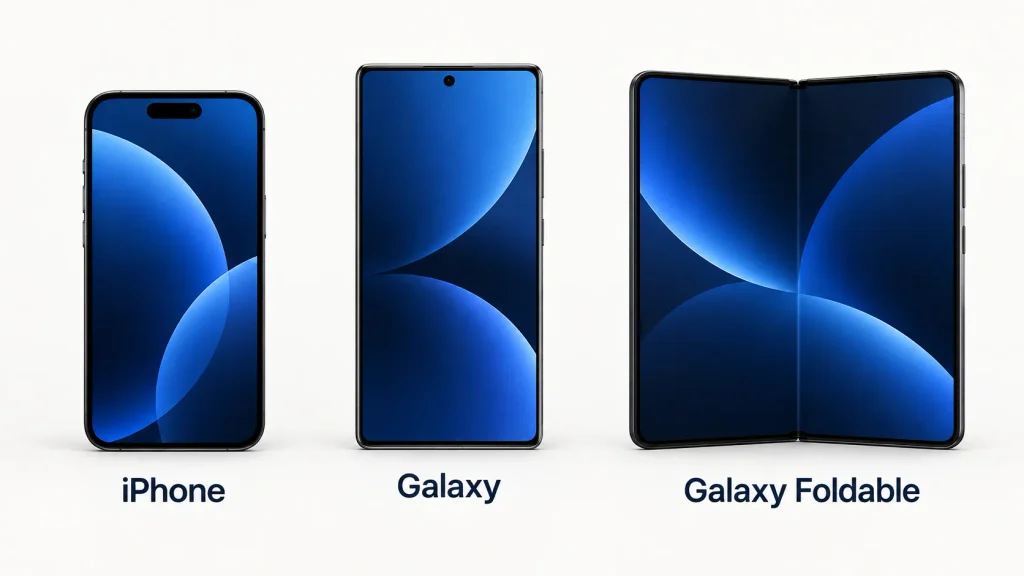
Verdict: Both brands offer excellent displays in their premium phones. Samsung gives buyers more screen formats to choose from today. For a conventional phone, compare the exact models rather than choosing by brand alone.
Performance and Gaming
Modern iPhone and Galaxy flagships are quick enough for everyday tasks and demanding games. In an iPhone vs Samsung performance comparison, the difference is more likely to show up during a long gaming session or while using several apps than when opening a message or webpage.
Apple designs both the iPhone’s main chip and iOS, giving it close control over how the hardware and software work together. That is one reason performance tends to feel consistent across its relatively small lineup. It does not, however, tell you how every iPhone will handle heat or a demanding game.
Samsung flagships also have powerful processors, though the chip can differ by model and region. One UI offers split-screen apps and floating windows, while compatible phones can use Samsung DeX with an external display. The announced iPhone Duo will support side-by-side apps, but Samsung currently offers more ways to arrange multiple windows.
For gaming, the exact phone matters more than the brand name. A game may run smoothly at first and slow down as the phone heats up. Cooling, game optimization, room temperature, and power settings can all affect how steady the frame rate remains.
Verdict: Both brands offer excellent flagship performance. If gaming is your priority, look for sustained performance tests of the specific models you are considering. Choose Samsung if its multitasking tools or DeX are features you would actually use.
Camera Comparison
Megapixels tell only part of the story. In an iPhone vs Samsung camera comparison, lens choice, image processing, stabilization, autofocus, and the way each phone handles a moving subject can matter just as much.
Where iPhone Cameras Stand Out
An iPhone is appealing if you want to take a quick photo or record video without spending much time on camera settings. Apple offers strong video features across the lineup, with more recording options on Pro models.
The exact iPhone still matters. A standard model and a Pro do not have the same lenses, zoom range, or video tools. For a purchase decision, look at footage from the phones you are considering rather than assuming every iPhone will produce the same result.
Where Samsung Cameras Stand Out
Samsung’s Ultra phones offer a wider set of shooting options, particularly if you like using zoom or adjusting camera settings yourself. For example, the Galaxy S24 Ultra has 3x and 5x optical telephoto cameras. That flexibility is useful for subjects you can’t get close to or scenes where you want more control over the final image.
There is a large gap between Galaxy models, though. An A-series phone, a standard S model, and an Ultra have different lenses and camera features. Samsung’s image processing can also look different depending on the phone, settings, and scene.
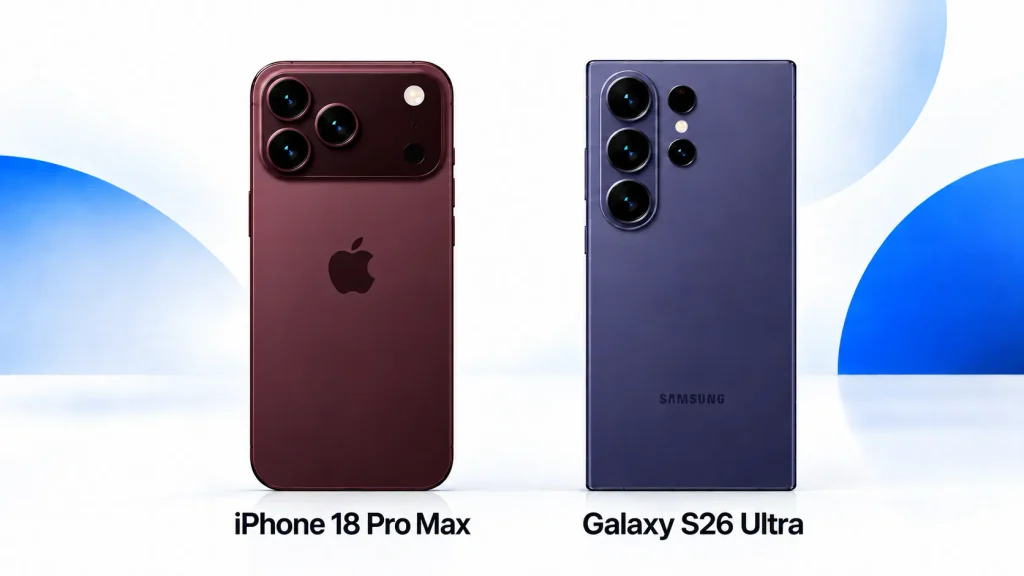
Verdict: Start with an iPhone, particularly a Pro model, if video features are your priority. Look closely at a Galaxy Ultra if zoom and camera controls matter more. To judge photo quality, compare samples from the exact models in similar conditions.
iPhone vs Samsung Battery Life and Charging
A bigger battery does not always mean a phone will last longer. Screen brightness, signal strength, gaming, camera use, and the efficiency of the chip and software all affect how quickly it runs down. For an iPhone vs Samsung battery comparison, results from specific models under similar conditions are more useful than battery capacity alone.
Apple designs the iPhone’s chips and software together. Samsung offers phones with a wider range of battery sizes and charging capabilities. Either approach can work well, but neither tells you how long a particular phone will last through your day.
Charging is just as dependent on the model. A charger’s advertised wattage does not tell you the time needed for a full charge. Apple explains that its lithium-ion batteries charge quickly to around 80% before slowing down. Heat and battery protection settings can slow charging further. If charging matters to you, compare measured times at 50%, 80%, and 100%, along with the charger used.
Our iPhone vs Samsung battery life guide looks at the factors behind endurance and charging in more detail.
Verdict: Choose based on the results of the exact phones you are considering. Look for battery tests that reflect your usual activities and charging tests performed under comparable conditions.
Software: iOS vs One UI
Software shapes almost everything you do on a phone, so it may matter more over time than a small difference in specifications. In an iPhone vs Samsung comparison, the choice often comes down to how much you want to change the way your phone works.
What iOS Does Better
iOS feels familiar across iPhone models. Its menus, system apps, and everyday controls follow a consistent pattern, making it easier to settle into a new phone. Apple also provides iOS updates to compatible iPhones directly.
You can customize the Home Screen and change certain default apps, but iOS still sets more limits on how apps and files interact with the system. For some people, that keeps things simple. Others may wish they had more control.
What Samsung One UI Does Better
One UI gives you more ways to arrange the Home Screen, change the phone’s appearance, manage notifications, and work with files. It also supports split-screen apps and floating windows. On compatible Galaxy phones, DeX adds a desktop-style workspace when connected to a display.
There is more to explore as a result. You can use One UI without changing much, but getting the most from its extra options may take time. For a closer look at customization, notifications, files, updates, and multitasking, read our iOS vs One UI comparison.
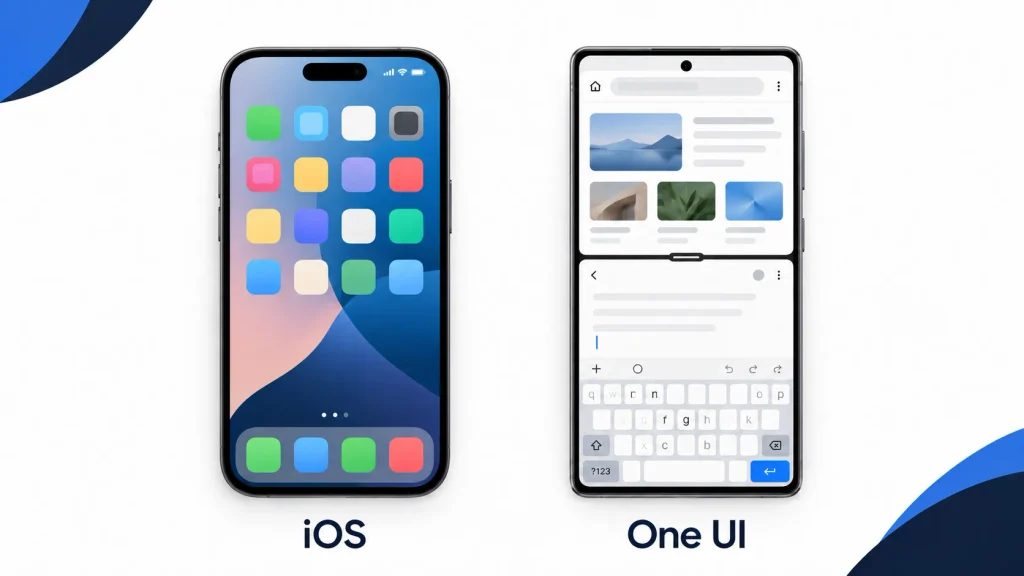
Verdict: Choose iOS if you want a familiar setup that asks little of you. Choose One UI if you enjoy adjusting your phone and want more ways to work across apps.
Apple Intelligence vs Galaxy AI
AI features can help you edit a photo, summarize a note, translate a conversation, or find information on your screen. In an iPhone vs Samsung comparison, the first question is whether the feature you want will work on the phone you plan to buy. Support varies by device, software version, language, and region.
Apple Intelligence brings writing, photo, communication, and Siri features to supported Apple devices. Some requests run on the device; others can use Apple’s Private Cloud Compute when they need a larger model. Apple places a strong emphasis on how these features fit into its apps and privacy system.
Galaxy AI offers tools for translation, search, transcription, summaries, and photo editing on supported Galaxy devices. You will find them in different parts of One UI, and some features involve Google services. Samsung notes that availability can vary by model, region, software, and carrier.
A long feature list is less useful than one tool you will use regularly. Before buying mainly for AI, check the exact feature, its language support, whether it needs an internet connection, and which apps it works with. Our guides explain Apple Intelligence and Galaxy AI features in more detail.
Verdict: Neither AI suite is the right choice for everyone. Choose the phone that supports the tools you want to use in your preferred language and region.
Privacy and Security
Both platforms use hardware-backed security, encryption, biometric authentication, app permissions, and regular security updates. This makes security one of the closest parts of the iPhone vs Samsung comparison. No phone is automatically secure if it uses a weak passcode, runs outdated software, or provides unnecessary access to untrusted apps.
Apple controls the iPhone hardware, iOS, App Store rules, and many connected services. Features such as App Tracking Transparency, permission indicators, passkeys, and on-device processing give users clear controls over common privacy concerns.
Samsung builds on Android security with Samsung Knox, its hardware-backed security platform. Supported Galaxy phones also include tools such as Secure Folder, a privacy dashboard, permission controls, and security features designed for both consumers and organizations.
For practical controls you can review on a Galaxy phone; see our Android privacy settings guide.
The platforms differ more in philosophy than in basic competence. Apple operates a tightly controlled system. Samsung offers a more open platform with more configuration choices, which places greater responsibility on the user to manage apps and settings carefully.
Verdict: Both are strong choices when kept updated. iPhone offers a more controlled privacy model. Samsung provides robust security with deeper user control.
Apple vs Samsung Ecosystem
A phone becomes more useful when it works well with the devices you already own. Your watch, earbuds, laptop, tablet, and smart-home products can all affect how convenient an iPhone vs Samsung switch feels.
Apple Ecosystem
If you use a Mac, iPad, Apple Watch, or AirPods, an iPhone fits naturally alongside them. AirDrop makes sharing files between Apple devices easy, while Handoff and Universal Clipboard let you pick up a task or copy something on one device and continue on another.
Those conveniences can be hard to give up. If you replace an Apple device with one from another brand, it is worth checking which features you would lose and which services you could still use.
Samsung Ecosystem
Galaxy phones connect with Samsung watches, earbuds, tablets, TVs, and other products. They also work with Google services and Windows PCs, while SmartThings can bring compatible smart-home devices from different brands into one app.
The experience depends on the products you pair with. Some features work across brands; others need particular Galaxy devices or apps. Check compatibility for the connections you care about before buying.
Our Apple ecosystem vs Samsung ecosystem comparison covers file sharing, productivity, smart homes, and device compatibility in more detail.
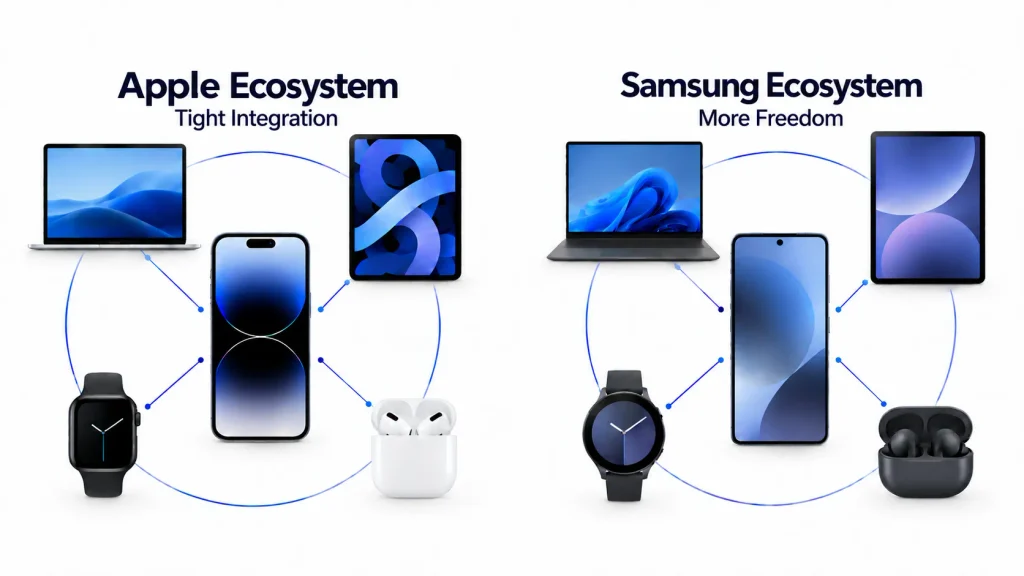
Verdict: An iPhone is a natural fit if you already use several Apple devices. A Galaxy phone is worth a closer look if your setup includes Windows, Google services, or products from several brands.
Which Lasts Longer: iPhone or Samsung?
“Lasts longer” can mean two things: getting through more hours on one charge or remaining useful for more years. Battery life needs a comparison between specific phones. Long-term ownership also depends on updates, battery replacement, repairs, storage, and what you need the phone to do.
Software Support
Apple has a long record of updating older iPhones, though it does not give every model the same fixed support promise. Samsung offers seven generations of OS upgrades and seven years of security updates for eligible Galaxy models.
That gives buyers strong options on both sides. Check the policy for the exact phone, especially if you are buying an older or lower-priced model. Its original support promise matters less than how much support remains when you buy it.
Battery Aging
Every phone battery loses capacity over time. Use, charging patterns, and heat can affect how quickly that happens. A replacement battery may keep an otherwise capable phone useful for longer, so check the cost and availability of that service before committing to several years of ownership.
Durability and Repair
Water resistance and tougher glass can help with everyday accidents, but damage is still possible. If you plan to keep a phone for years, repair prices, parts, and local service options deserve as much attention as its frame material.
Performance and Storage
Choose enough storage for the photos, videos, and apps you expect to keep. A low-capacity model may cost less today but become frustrating if you regularly store large files on the phone.
Resale Value
What you get back depends on the model, condition, storage, local demand, and the price you paid in the first place. Compare current used prices and trade-in offers for the phones you are considering rather than assuming one brand will always cost less to own.
Longevity verdict: Apple’s update record makes iPhone a strong long-term choice. Eligible Galaxy phones now also have a clear, lengthy update commitment. For either brand, the exact model and the cost of keeping it in good working order matter most.
Price and Value
Samsung gives you more prices to choose from. Its Galaxy range runs from affordable phones to premium Ultra models and foldables, so you can buy a Galaxy without paying flagship prices.
Apple’s iPhone range is smaller, with fewer low-cost new models. Older models, trade-ins, and carrier offers can narrow the gap. What matters is the price you can get when you buy, not just the launch price.
For an iPhone vs Samsung value comparison, think beyond the phone itself. Consider how long you plan to keep it, what you spend on storage and services, and whether your watch and other accessories will still work if you switch. If you expect to sell the phone later, check resale or trade-in offers for the exact model.
A higher-priced iPhone may work out well for someone who upgrades every few years and gets a good resale price. A discounted Galaxy kept for many years could cost less overall.
Verdict: Samsung offers more choice at lower prices. The better value depends on the deal you get and how long you keep the phone.
iPhone vs Samsung: Which Is Better for You?
Choose an iPhone if you:
- Already use a Mac, iPad, Apple Watch, or AirPods and want your phone to work closely with them.
- Prefer a familiar interface and a smaller lineup to choose from.
- Record a lot of video and value consistent results.
- Plan to resell your phone and have checked what similar iPhones sell for in your area.
- Want a long track record of software support.
Choose a Samsung Galaxy phone if you:
- Like changing how your phone looks and works.
- Regularly use split-screen apps or floating windows.
- Want more choice in phone size, price, or foldable design.
- Want the S Pen or long-range zoom available on selected Ultra models.
- Use Windows, Google services, and devices from several brands.
If you’re still deciding whether Samsung or iPhone is right for you, start with the three things you do most on your phone. Then compare two models you can actually afford. The right choice becomes much easier when you’re looking at the phones you might buy, rather than trying to pick a winner between two entire brands.
Final Verdict
So, iPhone vs Samsung: which is better in 2026? It depends on the phone you need and the devices you already use.
An iPhone is a strong choice if you want a familiar interface, reliable video, and a phone that works closely with your Mac, iPad, or Apple Watch. Samsung gives you more choice across prices and designs, along with deeper customization and more ways to work across apps.
Start with your budget and the features you use every day. Then compare the iPhone and Galaxy models you would actually buy. That will tell you more than a brand-wide winner ever could.
FAQs
Is Samsung better than iPhone in 2026?
Samsung may be better for you if you want more choice in price and design, deeper customization, or flexible multitasking. It also offers more foldable options. An iPhone may suit you better if you prefer a familiar interface, record a lot of video, or already use other Apple devices. For charging speed and long-term value, compare the specific phones you’re considering.
Which is better, iPhone or Samsung?
An iPhone is likely to suit you if you prefer familiar software and already use other Apple devices. Samsung gives you more choice in phone design and price, along with more ways to customize how your phone works. The better choice comes down to the specific models you can afford and the features you use most.
Which phone has a better camera, iPhone or Samsung?
It depends on what you shoot and which phones you compare. An iPhone may suit you if you record a lot of video and like its point-and-shoot results. A Galaxy Ultra is worth considering if you often use Zoom and want a range of shooting options. Look at photo and video samples from the exact models before deciding.
Which has better battery life, iPhone or Samsung?
Neither brand wins every time. Battery life depends on the phone you buy and how you use it. Screen brightness, mobile signal, gaming, and camera use can all change how long it lasts. If you’re choosing between two phones, look for independent battery tests of those exact models under similar conditions.
Samsung vs iPhone: Which Lasts Longer?
Both can remain useful for years. Apple has a long history of updating older iPhones, and eligible Samsung Galaxy models receive up to seven generations of OS upgrades. Software support is only part of the picture, though. Before buying a phone you hope to keep for years, check its update policy, battery replacement cost, and local repair options.
Does iPhone have better resale value than Samsung?
Often, but it depends on the model and where you sell it. iPhones tend to attract strong used prices, while a discounted Galaxy may cost you less to buy in the first place. If resale matters, compare the current prices of similar used phones with what you would pay for each one today.
Which is better for gaming, iPhone or Samsung?
Recent iPhone Pro and Galaxy flagship phones can both run demanding games well. Samsung gives you more screen sizes and settings to choose from, while iPhone offers a more consistent range of hardware for game developers to support. If you play for long stretches, compare gaming tests for the exact phones and games you’re interested in. Frame rates, heat, and battery drain matter more than a short benchmark result.
Is it difficult to switch from Samsung to iPhone?
For most people, the basic transfer is manageable. Apple’s Move to iOS app can bring over contacts, photos, messages, and other common data. The parts to check before you switch are your authenticator apps, smartwatch, paid apps, and anything stored only in a Samsung service. Keep your old phone until you’ve confirmed that your accounts and important files are working on the iPhone.
Is it difficult to switch from iPhone to Samsung?
The basic move is usually manageable. Samsung Smart Switch can bring over contacts, photos, and other common data. Before you switch, check anything you keep in iCloud, turn off iMessage on your iPhone, and make sure your watch and essential apps will work with the Galaxy phone. Keep your iPhone until you’ve checked that your messages, files, and accounts are available on the new device.