
Contents
Introduction
When you use an AI feature on your phone, the work isn’t always happening on the phone itself. Some features run locally, while others send the request to a cloud server and wait for the result to come back.
That’s the main idea behind on-device AI vs cloud AI. And for the person using the phone, the difference can be noticeable. A feature may work without internet, respond faster, keep more data on the device, or need the cloud before it can do anything useful.
Phones can now handle a surprising amount of AI work on their own, thanks to more capable chips. But there are limits to what a small device can process. For heavier AI tasks, cloud servers still have a clear role. In many cases, your phone simply uses whichever approach makes more sense for the task.
On-Device AI vs Cloud AI: Quick Comparison
| Feature | On-Device AI | Cloud AI |
|---|---|---|
| Where it runs | Directly on your phone | On remote servers |
| Internet needed | Not always | Usually |
| Speed | Often fast for local tasks | Can depend on your connection |
| Privacy | Data can stay on the device | Some data may be sent off the device |
| Processing power | Limited by the phone’s hardware | Much more computing power available |
| AI model size | Usually smaller or optimized models | Can handle much larger models |
| Works offline | Yes, for supported features | Usually no |
| Battery and heat | AI processing happens on the phone | Heavy processing happens on the server |
| Updates | May require an app, system, or model update | Can be updated on the server |
| Good for | Quick, private, or offline tasks | More demanding AI tasks |
Neither approach is automatically better. What matters is what the AI feature needs to do.
What Is On-Device AI?
On-device AI means the AI processing happens on your phone, tablet, or computer rather than relying entirely on a remote server.
Modern phones have dedicated hardware for this work. Depending on the chip, you might see it called an NPU, Neural Engine, or AI engine. Apple’s Core ML documentation, for example, explains how machine-learning workloads can use the CPU, GPU, and Neural Engine for on-device processing.
It can help with tasks such as image processing, speech recognition, predictive text, and photo organization without constantly sending data to the cloud.
But on-device AI doesn’t mean every part of a feature has to run locally. A phone might handle one part itself and send the more demanding part to a server. That’s why the boundary between on-device AI and cloud AI can sometimes be difficult to see.
What Is Cloud AI?
Cloud AI simply means the AI work is done on remote servers rather than entirely on your phone.
The biggest advantage is that those servers have far more computing power to work with. A phone has limited memory, battery power, and room for cooling, so there is only so much it can handle locally. Larger AI models can need resources that just aren’t practical to squeeze into a smartphone.
That’s where the cloud comes in. It can take care of heavier jobs, including demanding generative AI tasks, without putting all of that workload on your phone.
The catch is that cloud AI usually needs an internet connection. If your connection is poor or the service is down, the feature may be slower or not work at all.
How On-Device AI Works
When AI runs locally, your phone is doing the work with its own hardware. The processor, GPU, memory, and dedicated AI hardware can all play a part, depending on the feature.
One benefit is that your phone doesn’t always have to send a request to a server and wait for an answer. The result can come back quickly. Some features can even keep working without an internet connection.
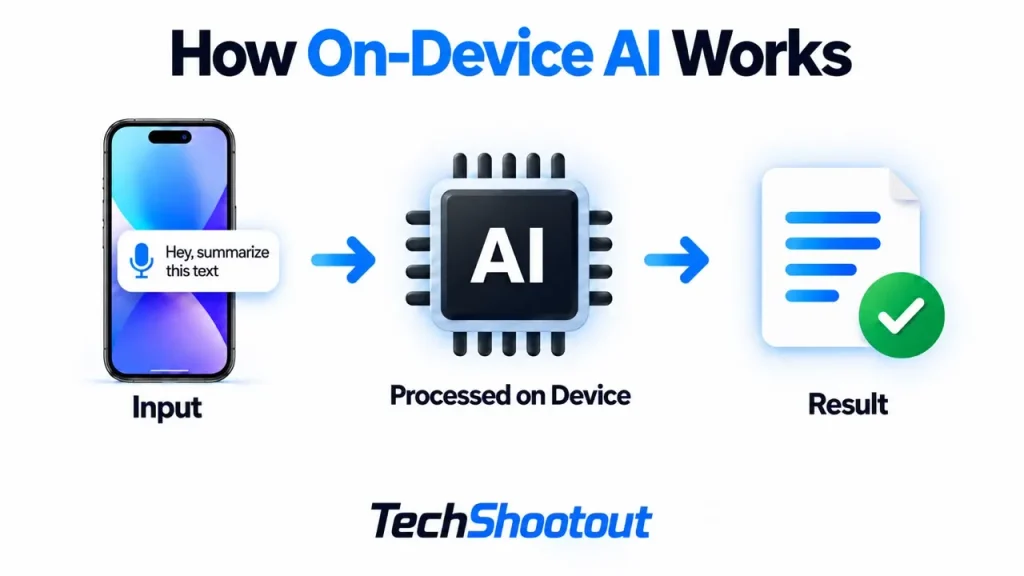
That’s useful in situations where your connection isn’t reliable. On a flight, for example, or somewhere with weak mobile coverage, a cloud-based feature may be limited or unavailable. An AI feature that runs locally doesn’t have the same problem, provided everything it needs is already on the phone.
There is still a limit to how much a phone can do. Bigger AI models need plenty of memory and processing power, and sometimes they’re simply too demanding to run well on a smartphone.
How Cloud AI Works
With cloud AI, your phone doesn’t have to do most of the heavy processing itself. Say you type a complicated prompt into an AI app. The request is sent over the internet, processed on the company’s servers, and the answer comes back to your phone.
This setup means the AI model doesn’t have to fit or run entirely on your device. It also gives providers more freedom to update their models on the server side, so improvements can arrive without you needing newer phone hardware.
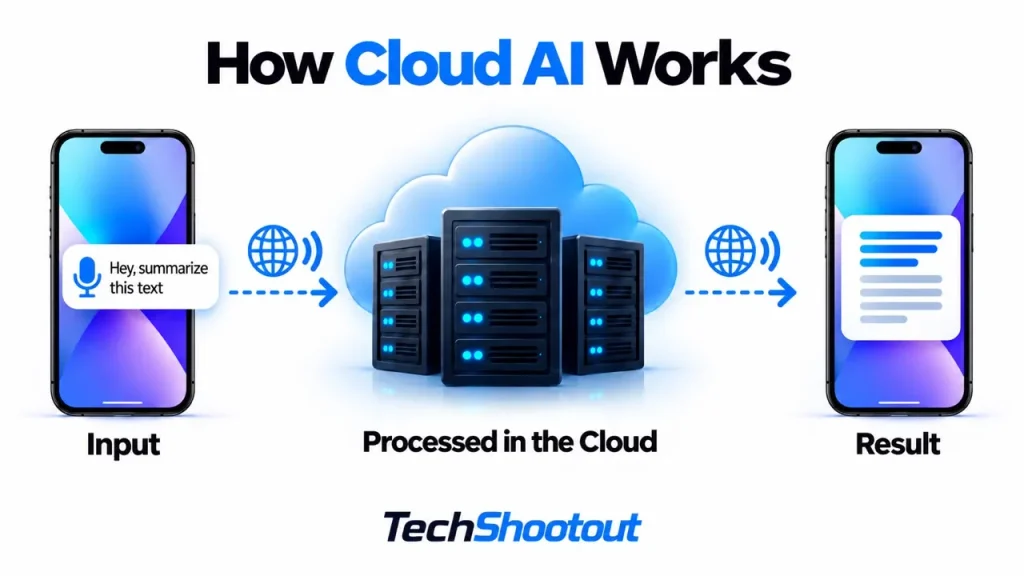
The same cloud service can also work across different devices. You might use it from a phone, laptop, tablet, or web browser while the main processing still happens on the same remote infrastructure.
The obvious drawback is that you’re relying on that connection and the service behind it. If either one isn’t available, the feature may be limited or stop working altogether.
On-Device AI vs Cloud AI: Key Differences
The difference between on-device AI and cloud AI is clearer when you consider how each one affects the person using the phone.

1. Privacy
One benefit of running AI on your phone is that some of your data can stay there. If the whole task is handled locally, there may be no reason to send that information to an AI server.
Apple Intelligence is one example of this mixed approach, with supported tasks running on-device while more demanding requests can use Apple’s Private Cloud Compute.
Still, the words “on-device” don’t guarantee privacy. An app could process something locally and still collect other information or connect to an online service. It depends on how that particular feature is built.
Cloud AI works differently because at least some information has to reach a server before it can be processed. What the company stores, and for how long, depends on the service.
So rather than looking only at the on-device or cloud label, it’s worth checking what actually leaves your phone.
2. Speed and Latency
For the right kind of task, on-device AI can be very quick. There’s no need to send the request across the internet and wait for a server to answer.
You won’t always notice a big difference, though. With a good connection, cloud AI can respond quickly too. And if the task is particularly demanding, a powerful server may finish the actual processing faster than your phone could.
Where cloud AI can struggle is with a poor connection. Even a fast server can’t completely make up for slow or unstable mobile data.
3. Internet Connection
This difference is fairly simple. If everything an AI feature needs is already on your phone, it may continue working without internet access.
A cloud-based feature usually needs to reach a server. That may not matter much when you’re at home on Wi-Fi, but it can matter on a flight, while travelling, or anywhere mobile coverage is unreliable.
4. Computing Power
Phones have become remarkably powerful, but they’re still small, battery-powered devices. They have to manage heat, memory, and power use within a very limited space.
Cloud servers have far more computing resources available. That makes them better suited to AI workloads that would be too large or demanding to run comfortably on a phone.
This is also why AI models made for phones are often smaller or specially optimized for mobile hardware.
5. Battery Life and Heat
Doing AI work locally uses power. The processor and dedicated AI hardware have to do the calculations, and heavier workloads can also warm up the phone.
Moving the main processing to the cloud takes some of that workload away from the device. But that doesn’t automatically make cloud AI better for battery life. Your phone is still using its network connection, running the app, and powering the display.
In practice, battery use depends on the feature, the amount of processing involved, and how well the software and hardware are optimized. There isn’t one answer that applies to every AI task.
6. AI Model Capability
A phone only has so much memory, storage, and processing power available for AI. That’s fine for many tasks, especially as mobile AI models become more efficient, but larger models can quickly run into those limits.
The cloud has much more room to work with. Larger models and heavier workloads can run on server hardware without having to fit within the same power and thermal limits as a smartphone.
Phones will keep getting better at running AI locally, and models will also become more efficient. Even so, there will still be tasks where sending the work to more powerful hardware makes sense.
On-Device AI vs Cloud AI in Smartphones
The on-device AI vs cloud AI in smartphones debate is interesting because phones have good reasons to use both.
Your phone holds a lot of personal information, and you won’t always have a reliable internet connection. That makes local processing useful for AI features that need to respond quickly, work offline, or keep more data on the device.
But phones are also being asked to handle increasingly demanding AI features, especially generative AI. Some of those tasks need more computing power than a phone provides locally.
That’s where using both approaches starts to make sense. A phone can handle suitable tasks on its own and turn to the cloud when it needs more processing power. Google similarly recommends considering hybrid solutions that combine on-device and cloud models depending on the workload.
Galaxy AI is a good example of this approach, since Samsung can use a combination of on-device and cloud processing depending on the feature.
For the person using the phone, what matters most is that the feature works well. Whether the processing happens locally or in the cloud matters less if the phone can make that choice without slowing things down or interfering.
On-Device AI Examples
On-device AI works well for focused tasks where a quick response, privacy, or offline access matters.
You might find it being used for:
- Photo and image processing
- Speech and audio processing
- Predictive text and keyboard suggestions
- Image recognition
- Camera features
- Transcription and translation
- On-device personalization
A current Android example is Gemini Nano. Google uses AICore to run supported generative AI tasks directly on compatible devices, allowing certain features to process data locally rather than sending every request to a cloud server.
How much of each feature actually runs on the phone depends on the device and the software. Some features may do one part locally and rely on the cloud for another.
That’s worth keeping in mind when you see something described simply as “AI-powered.” The label doesn’t necessarily tell you where the AI processing is actually happening.
Cloud AI Examples
Cloud AI makes more sense for tasks that need more computing power than a phone can comfortably provide or require access to information that isn’t stored on the device.
Generative AI assistants are a prime example. More demanding prompts may rely on large models that simply aren’t practical to run entirely on a smartphone.
Other cloud AI examples include large-scale image generation, complex language processing, recommendation systems, and AI services you access through an app or web browser.
The line isn’t always clear, though. An app might use the cloud for its heavier AI work while still handling smaller tasks directly on your phone.
Is On-Device AI More Private Than Cloud AI?
It can be, especially when sensitive information stays on your phone instead of being sent to a server. But running AI locally doesn’t automatically make a feature private. An app can process one part of a task on your phone and still collect other information or send data elsewhere.
What matters is what actually leaves the device, what gets stored, and how that data is handled. When less information needs to leave your phone in the first place, on-device AI can offer a real privacy advantage.
Is On-Device AI Faster Than Cloud AI?
Sometimes. For smaller tasks, on-device AI can feel faster because your phone doesn’t have to send anything to a server and wait for a response.
For heavier tasks, the cloud may actually be quicker because the server has much more processing power. Your internet connection makes a difference too. Something that feels instant on fast Wi-Fi can be noticeably slower on a weak mobile connection.
So it really depends on the task and the connection you’re using.
Does On-Device AI Work Without Internet?
It can. If a feature has everything it needs on the phone, it doesn’t need to be online for AI processing.
The tricky part is that not every feature called “on-device AI” keeps the whole job on the device. One part might run locally, while another still needs a server. A feature may work fine offline for something simple, then ask for a connection when you try to do something more advanced.
So seeing “on-device” in the description doesn’t necessarily mean you can switch on airplane mode and expect every part of the feature to keep working.
Why Smartphones Use Both On-Device and Cloud AI
Choosing between on-device AI vs cloud-based AI doesn’t always mean picking one and leaving the other out. A phone can use both, depending on what you’re asking it to do.
Something quick or sensitive might be handled directly on the phone. If the task needs more processing power, the phone can turn to the cloud instead.
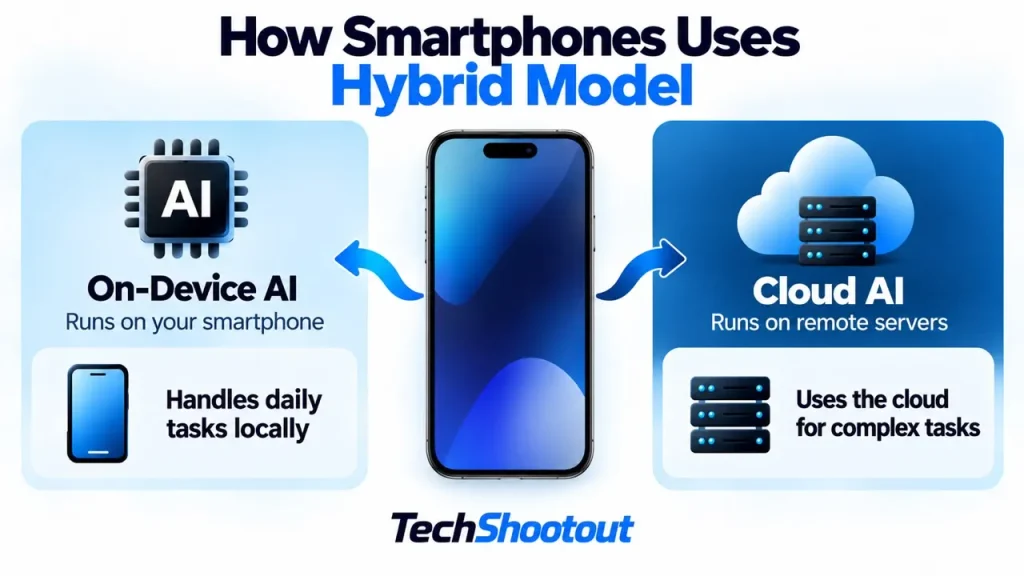
That approach makes a lot of sense for smartphones. You get the speed and offline benefits of local processing when they’re useful, without expecting a phone to handle every demanding AI task on its own. It’s also one reason on-device AI is replacing cloud AI for some smartphone features.
And as a user, you probably won’t care much about where every bit of processing happens. What matters is whether the feature works quickly, works when you need it, and handles your data properly.
Is On-Device AI Replacing Cloud AI?
Probably not. Phones are getting much better at running AI locally, and some jobs that once needed a server can already be done on the device.
There are still limits, though. A phone has nowhere near the computing resources of a data center, especially when you’re talking about very large models or demanding AI tasks.
So we’ll likely keep seeing a mix of the two. More AI will run directly on phones as the hardware improves, while heavier jobs will continue to rely on the cloud. Some features will use both without the user even noticing the switch.
Final Verdict
The difference between on-device AI and cloud AI matters, but smartphones don’t really have to choose between them.
Running AI on the phone is useful when speed, privacy, or offline access matters. The cloud is best for tasks that require more processing power than a phone can comfortably provide.
In practice, using both is often the better fit. Your phone can handle what it can locally and turn to the cloud for the heavier work. As long as the feature is fast, reliable, and sensible about your data, you may never even notice where the processing happened.
FAQs
What is the main difference between on-device AI and cloud AI?
The main difference is where the AI work happens. On-device AI handles it directly on your phone, while cloud AI sends the request to remote servers for processing and then sends the result back to your device.
Is on-device AI better than cloud AI?
It depends on what the AI is doing. Some features are easy enough to run directly on a phone, which can be handy when you’re offline or working with personal data.
More demanding features may need the extra power available on cloud servers. So in practice, phones can use either one depending on the job.
Can on-device AI work without the internet?
Yes, if everything the feature needs is already on your phone. But some features only do part of the work locally and still need an internet connection for anything that has to be handled in the cloud.
Is on-device AI more private?
It can be. If the work stays on your phone, some personal data doesn’t need to be sent elsewhere. But the “on-device” label doesn’t tell you everything. An app may still collect or send other information, so privacy really depends on how the feature handles your data.
Does on-device AI use more battery?
Sometimes. If your phone has to do a lot of AI work itself, it will use more power and may get warmer as a result. Using the cloud takes much of that work off the phone, although staying connected still uses some battery. The actual drain will vary from one AI feature to another.
Will on-device AI replace cloud AI?
Probably not. Phones are getting better at handling AI themselves, but they still have limits. Some tasks simply need more processing power than a smartphone can offer. That’s where cloud servers remain useful.