
Table of Contents
Introduction
Buying a smartphone today is about more than just the phone. Most people also own a laptop, smartwatch, earbuds, tablet, smart TV, or other devices. The real experience comes from how well the devices work together, not just how good each one is on its own. That’s where Samsung ecosystem comes in.
Samsung connects its devices into a single experience rather than treating each one as something separate. Your Galaxy phone can share files with your laptop in seconds. Your smartwatch can unlock your phone. Your earbuds switch between devices on their own. Your TV can fit into your daily workflow. Add Galaxy AI and SmartThings, and these connections get even more useful.
Galaxy ecosystem features can vary depending on your Galaxy device, One UI version, region, and software updates. Some Galaxy AI features also require a compatible device, internet connection, or Samsung account. Always check Samsung’s official documentation for the latest availability.
In this Samsung ecosystem explained guide, we’ll look at how Galaxy phones, tablets, laptops, watches, earbuds, TVs, SmartThings, and Galaxy AI work together in daily use.
What Is the Samsung Ecosystem?
The Samsung ecosystem is a set of hardware, software, and cloud services that are built to work well together. Instead of using each device on its own, Samsung connects them through your Samsung account, One UI, SmartThings, Galaxy AI, and Microsoft’s Phone Link.
For example, you might start writing notes on your Galaxy S26 Ultra when you are traveling. At home, you can keep editing those same notes on a Galaxy Book laptop without sending files to yourself. If someone calls while you’re working, your Galaxy Buds can switch from the laptop back to your phone. Later, you can control your smart lights, robot vacuum, and TV from the SmartThings app.
None of these features is impressive on its own. But together, they remove small frustrations throughout the day. That’s what makes it so useful.
Samsung Ecosystem Features and Devices
The Samsung Galaxy ecosystem covers almost every major category of consumer electronics, from phones and tablets to laptops, earbuds, watches, TVs, and smart home devices. You don’t need every product, but the more Galaxy devices you have, the more connected the experience becomes.
Galaxy Smartphones
Galaxy smartphones are the center of Samsung’s ecosystem. Devices like the Galaxy S series, Galaxy Z Fold, and Galaxy Z Flip act as the main hub that connects everything else.
Most services start here. Your Samsung account stores settings, Samsung Cloud backs up data, Galaxy AI runs intelligent features, and SmartThings connects your smart home. Since your phone is usually with you all day, it naturally becomes the control center for everything else.
Galaxy Tablets
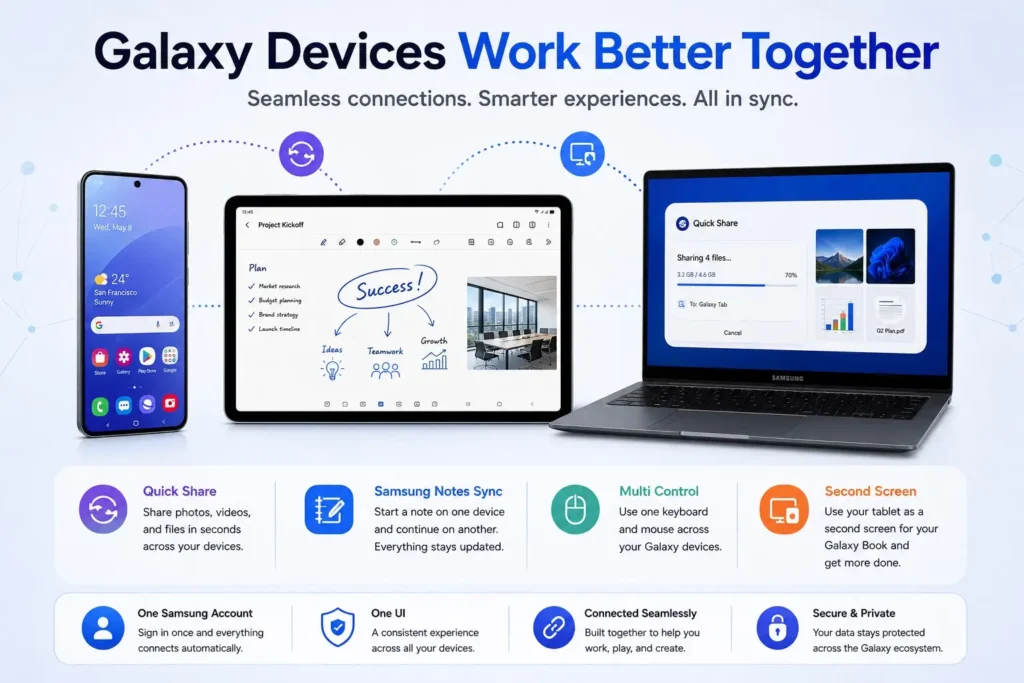
Galaxy Tabs bring the smartphone experience to a larger screen. Galaxy tablets also support Second Screen. Instead of carrying a separate monitor, you can use your tablet to expand your workspace for multitasking, taking notes, or keeping reference material visible while you work. It’s a simple example of how Galaxy tablets become more useful when paired with other Samsung devices.
Galaxy Book Laptops
Galaxy Book laptops are built to work closely with Galaxy phones. Features like Phone Link, Multi Control, Quick Share, Samsung Notes sync, and Auto Hotspot reduce the gap between Windows and Android.
Instead of treating your laptop and phone as separate things, Samsung makes it easy to move files, copy text, answer messages, and continue work across both without constantly switching between them. This integration has improved a lot over the past few years, thanks to Samsung’s partnership with Microsoft.
Galaxy Watch and Galaxy Buds
Galaxy Watch and Galaxy Buds add another layer by handling notifications, health tracking, calls, and media. A Galaxy Watch tracks workouts, sleep, heart rate, and other health data, syncing everything to Samsung Health. Incoming calls, messages, and calendar alerts are accessible even when your phone isn’t nearby.
Galaxy Buds automatically switch between supported Galaxy devices based on what you’re using. You can pause a movie on your Galaxy Book, take a phone call, then return to your laptop without reconnecting Bluetooth manually.
Smart TVs and Smart Home
Galaxy ecosystem goes well beyond mobile devices. You can manage Samsung Smart TVs, monitors, refrigerators, washing machines, air conditioners, robot vacuums, and hundreds of compatible third-party smart home products through SmartThings.
Your phone becomes a universal remote, and you can set up routines to automate daily tasks. Lights can turn on when you get home, your air conditioner can start before you arrive, and your robot vacuum can run after everyone leaves. Because SmartThings supports many brands beyond Samsung, the ecosystem isn’t limited to Galaxy hardware alone.
One UI: Brings Everything Together
Hardware alone doesn’t create an ecosystem. The software connecting everything also matters. For Samsung, that software is One UI. One UI gives a consistent interface across Galaxy phones, tablets, watches, and many Samsung apps. Menus, settings, design, and navigation stay familiar no matter which Galaxy device you’re using.
This consistency makes switching between devices feel straightforward. Once you know how something works on your phone, you’ll usually recognize it on your tablet or other Galaxy products too.
Samsung updates One UI regularly with new features, security improvements, and tighter device integration. Many ecosystem features come through software updates rather than requiring new hardware.
Galaxy AI and Samsung Ecosystem
AI has become a major focus of Samsung, and Galaxy AI now appears throughout the ecosystem. Samsung explains that Galaxy AI combines on-device and cloud-based AI depending on the feature being used. It’s not a single app. Galaxy AI shows up in different places depending on what you’re doing.
Writing Assist can rewrite text in supported apps. Note Assist summarizes long documents. An interpreter translates conversations in real time. Live Translate helps during phone calls. Photo Assist removes unwanted objects or improves photos using generative editing tools.
Many of these features work across multiple Galaxy devices, not just your phone. Samsung’s AI uses a mix of on-device and cloud AI. To understand why Samsung uses both local and cloud processing, see our guide on Why On-Device AI Is Replacing Cloud AI. Simpler things happen right on your phone faster and without sending anything to the cloud. For heavier tasks, it uses cloud processing when it needs to. The result is AI that feels built into everyday tasks rather than something you have to open a separate app to use.
If you want to learn more about Samsung’s AI tools, read our Galaxy AI Explained: Every Samsung AI Feature You Should Know in 2026.
Quick Share Makes File Transfers Simple
One of the most practical parts of Samsung’s connected experience is Quick Share. According to Android documentation, Quick Share lets you send photos, videos, documents, and other files between compatible Galaxy devices with just a few taps. It also works with many Windows PCs through the Quick Share app.
Instead of attaching files to emails or uploading them to cloud storage first, you transfer them directly over a nearby wireless connection.
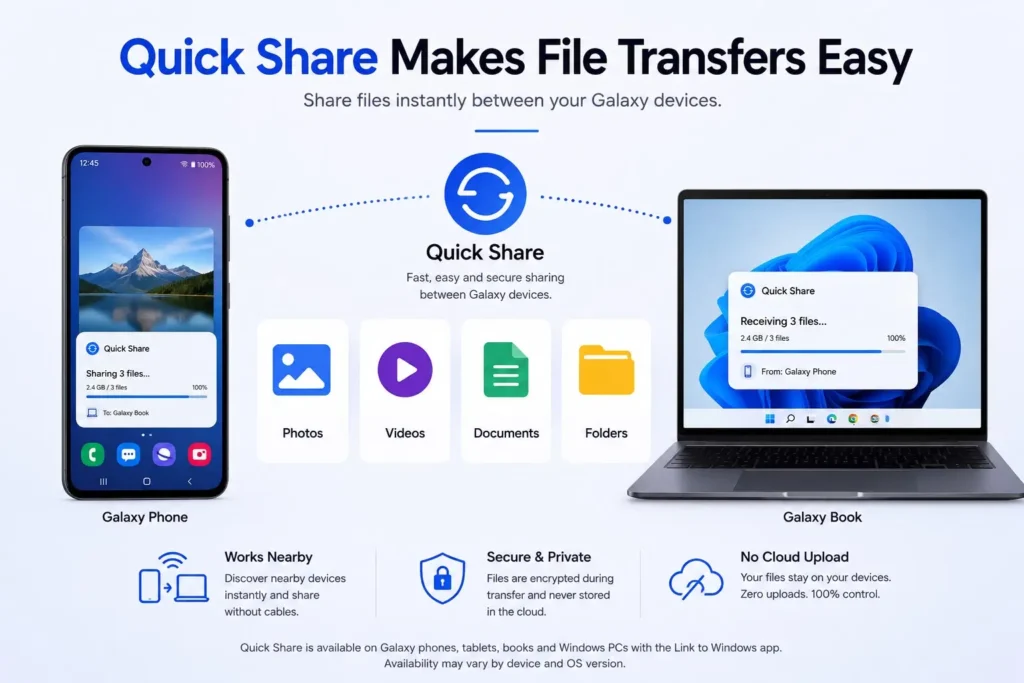
This is especially useful for large videos, presentations, or photo libraries that would take much longer to upload and download. Quick Share has improved steadily, and in 2026 it remains one of the easiest ways to move files between Samsung devices.
Samsung Notes Keeps Your Work in Sync
Samsung Notes has grown into much more than a basic note-taking app. Handwritten notes, typed documents, sketches, PDFs, voice recordings, and checklists all sync across Galaxy devices through your Samsung account.
You might start outlining something on your phone, continue on a Galaxy Tab with the S Pen, then finish on a Galaxy Book. Everything syncs automatically, so there’s no need to export files manually between devices. For students, professionals, and anyone who moves between screens throughout the day, this kind of continuity is genuinely useful.
SmartThings Make your Home Smarter
SmartThings is Samsung’s smart home platform. From one app, you can control compatible lights, plugs, cameras, thermostats, appliances, and entertainment devices.
It also supports automation. Your devices can respond to specific situations without you doing anything manually. A bedtime routine could turn off lights, lock smart locks, lower the thermostat, and activate security cameras with one tap. A morning routine could open blinds, start the coffee machine, and show the day’s schedule on a smart display.
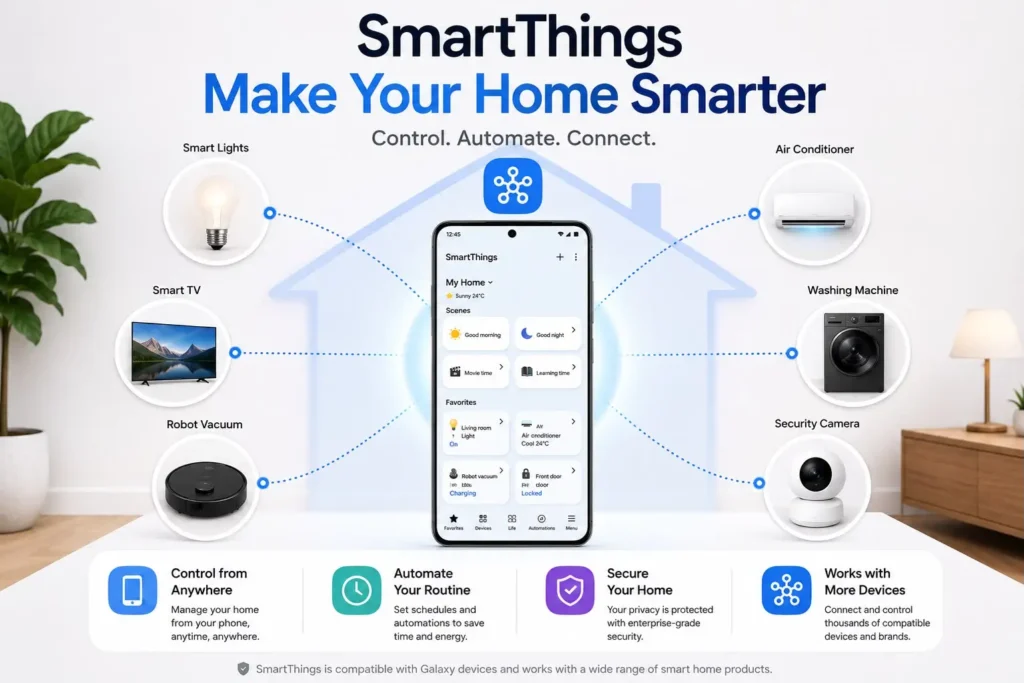
Samsung has expanded SmartThings compatibility through Matter, making it easier for devices from different manufacturers to work together.
Seamless Continuity Across Devices
One of the main reasons people invest in an ecosystem is continuity, the ability to move between devices without interruption. Samsung includes several features that make this feel natural.
You can copy text on your phone and paste it on your Galaxy Book. Samsung Internet tabs stay synced across devices. Auto Hotspot lets your laptop connect through your phone’s mobile data without entering a password.
Calls and messages can appear across supported Galaxy devices so you can respond from whichever screen you’re on. These features don’t stand out individually, but over time they remove a lot of small interruptions from your day.
Security and Privacy Across the Ecosystem
Connecting multiple devices raises reasonable questions about security. Samsung handles this through Samsung Knox, its security platform that protects both hardware and software.
Samsung Knox protects your device with features like Secure Boot, encrypted storage, malware protection, and the same enterprise-grade security that many organizations rely on. Samsung is also expanding Knox Matrix, which allows compatible Galaxy devices to monitor each other’s security status across the ecosystem.
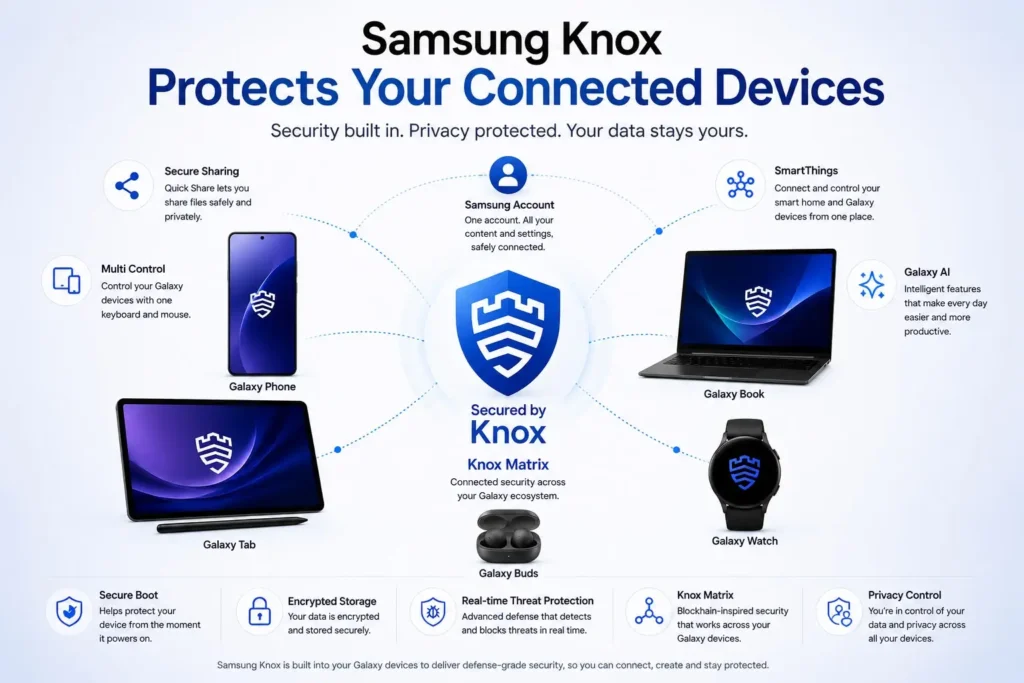
For AI features, Samsung says some requests are processed directly on the device while others use cloud services. Users can manage many privacy settings through their Samsung account and device settings. As AI becomes more common, balancing useful features with data protection is something Samsung continues to work on.
Samsung Ecosystem vs Apple Ecosystem
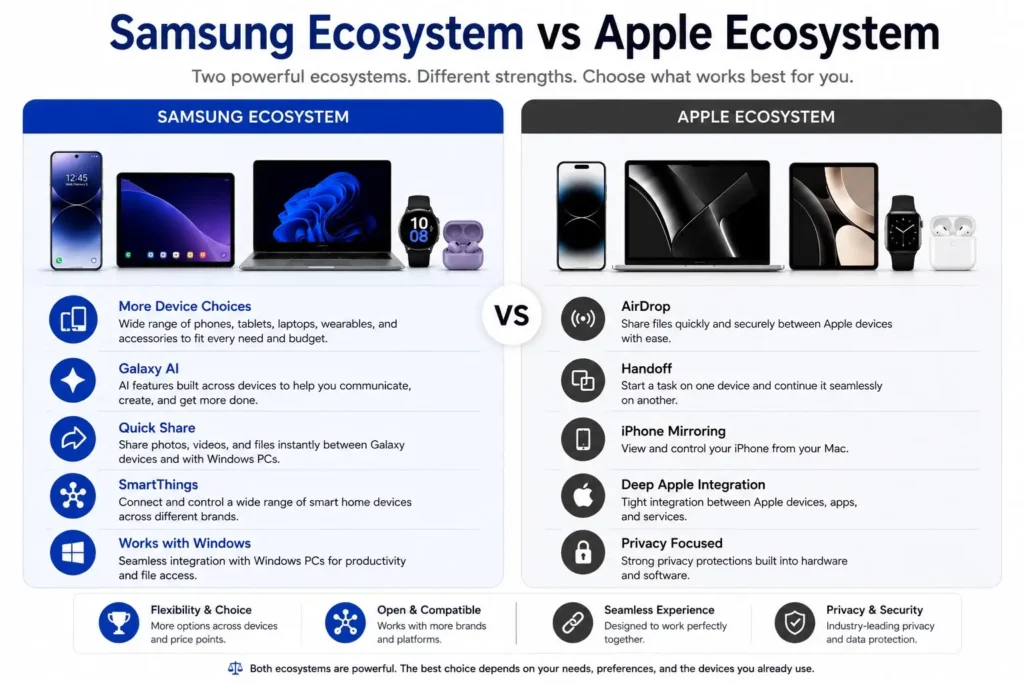
People love comparing Samsung and Apple, and it makes sense because both are all about keeping your devices connected.
Apple tends to feel more seamless because they build the hardware and software together. Things like AirDrop, Handoff, and iPhone Mirroring just work, without any setup. If you want to know more about the Apple ecosystem, read our complete guide, Apple Ecosystem Explained.
Samsung gives you more freedom. Galaxy phones play nicely with Windows PCs, support a lot of smart home devices through SmartThings, and there are options across a wide range of price points.
Is the Samsung Ecosystem Worth It?
The Samsung ecosystem works best when you own at least two Galaxy devices. A Galaxy phone paired with Galaxy Buds, a Galaxy Watch, or a Galaxy Book immediately opens up features that save time every day. As you add more devices, those small benefits start adding up. For Galaxy users, the Samsung ecosystem is worth it when the connected features actually save time across daily tasks.
You don’t need to buy everything Samsung makes. Many features also work with third-party devices thanks to Windows integration, SmartThings, and Matter support. If you’re already on a Galaxy smartphone, adding more Samsung devices can make your technology feel more connected and easier to manage day to day.
Who Should Buy Into the Samsung Ecosystem?
The Samsung ecosystem won’t matter to everyone, but it can make a real difference depending on how you use your devices. If you already own a Galaxy smartphone, adding another Samsung product is usually where the benefits start showing up. The ecosystem also works well for Windows users. Unlike Apple’s ecosystem, which works best with Macs, Samsung has built close integration with Microsoft Windows. If your main computer runs Windows, you’ll likely get more value from Samsung’s cross-device features than from switching to a different ecosystem entirely.
Students, professionals, and people who regularly move between multiple devices benefit the most. Starting work on one screen, continuing on another, transferring files quickly, and controlling smart home devices from one app saves real time throughout the day.
If you only use one smartphone and have no plans to buy other connected devices, the ecosystem won’t be a major reason to choose Samsung. Most of its best features are built around using multiple Galaxy products together.
Final Thoughts
What makes the Samsung ecosystem worth considering is not one big feature. It is the combination of smaller improvements that make everyday tasks easier. File transfers take seconds. Notes stay synced. Devices switch between each other on their own. SmartThings brings your connected home into one app. Galaxy AI makes many of these Samsung ecosystem features faster and more useful. If you’re interested in Samsung’s latest AI capabilities, our detailed Galaxy AI guide covers every major feature available on supported Galaxy devices.
Apple still offers one of the most developed ecosystems, but Samsung has built a strong alternative that combines solid device integration with the flexibility of Android, Windows, and broad smart home compatibility.
If you’re already on a Galaxy phone and plan to add more connected devices over time, the Samsung ecosystem will likely give you benefits you notice every day.
FAQs
What is the Samsung ecosystem?
The Samsung ecosystem is a group of Galaxy devices, software, and services built to work together. Tools like Quick Share, Samsung Notes, SmartThings, One UI, and Galaxy AI let you move files, sync data, and pick up tasks across compatible Samsung devices.
Is the Samsung ecosystem worth it?
Yes, if you use more than one Galaxy device. Pairing your Galaxy phone with a Galaxy Watch, Buds, Tab, or Book unlocks features that make daily tasks faster and easier.
How does the Samsung ecosystem compare to the Apple ecosystem?
Both offer file sharing, device continuity, and smart home support. Apple’s integration is tighter within its own hardware. Samsung gives you more flexibility. It works well with Windows PCs and supports a wide range of smart home devices through SmartThings and Matter.
Which devices are part of the Samsung ecosystem?
Galaxy smartphones, tablets, laptops, watches, earbuds, Smart TVs, home appliances, and smart home devices connected through SmartThings. Many third-party smart home products also work with the Samsung ecosystem.
What are the best Samsung ecosystem features?
Some of the important features are Quick Share, Samsung Notes sync, Multi Control, Auto Hotspot, SmartThings automation, Galaxy AI, and Second Screen. These connect your Galaxy phone, tablet, laptop, and wearables without much setup.
Do you need all Samsung devices to use the Samsung ecosystem?
No. Even one or two Galaxy devices give you access to many cross-device features. More devices simply add to the experience.